
A musician wants a tool that removes repetitive preparation from a session. A filmmaker wants a utility that checks delivery files before they reach an editor. Both requests can sound like “build a plugin,” but the best software form depends on where the work happens and what the tool must preserve.
A native plugin, desktop utility and web application have different constraints. Choosing the format before understanding the production workflow can create a beautiful interface that does not fit the actual session or delivery process.
VUZURAN's software focus includes custom tools for creative professionals, alongside a separate AI-assisted production service line. This guide describes an original scoping process; specific platform support and development availability must be confirmed for the project.
Observe the production step you want to improve
Ask the creator to demonstrate the task in the application they use. Record the input files, settings, repeated actions and expected output. Note what must remain unchanged, such as timing, metadata, quality or project structure.
Identify whether the task happens during active playback, during preparation or after export. A real-time audio process has different performance requirements from a batch file organizer. A review portal has different access needs from a tool running locally inside a creative application.
Keep the brief specific. “Make editing faster” is difficult to test. “Inspect the required delivery files and flag missing formats before handoff” gives the team a concrete behavior to evaluate.
Choose the software surface around the task
A plugin may be appropriate when the tool must interact closely with a supported host. A standalone utility may fit file preparation or batch processing. A web application may suit collaboration, review and delivery across a team.
| Software form | Potential fit | Requirement to investigate |
|---|---|---|
| Native plugin | Work inside a supported creative host | Host API, lifecycle and performance |
| Desktop utility | Local file processing or organization | OS support, permissions and packaging |
| Web application | Shared review, approvals and delivery | Access control, upload handling and network limits |
| Script or extension | A narrow repeated application task | Supported automation interface and version compatibility |
| Connected workflow | Move approved information between tools | API availability, identity and recovery |
These are design options, not promises that every host supports every integration. Validate the required interface before committing to the final product form.

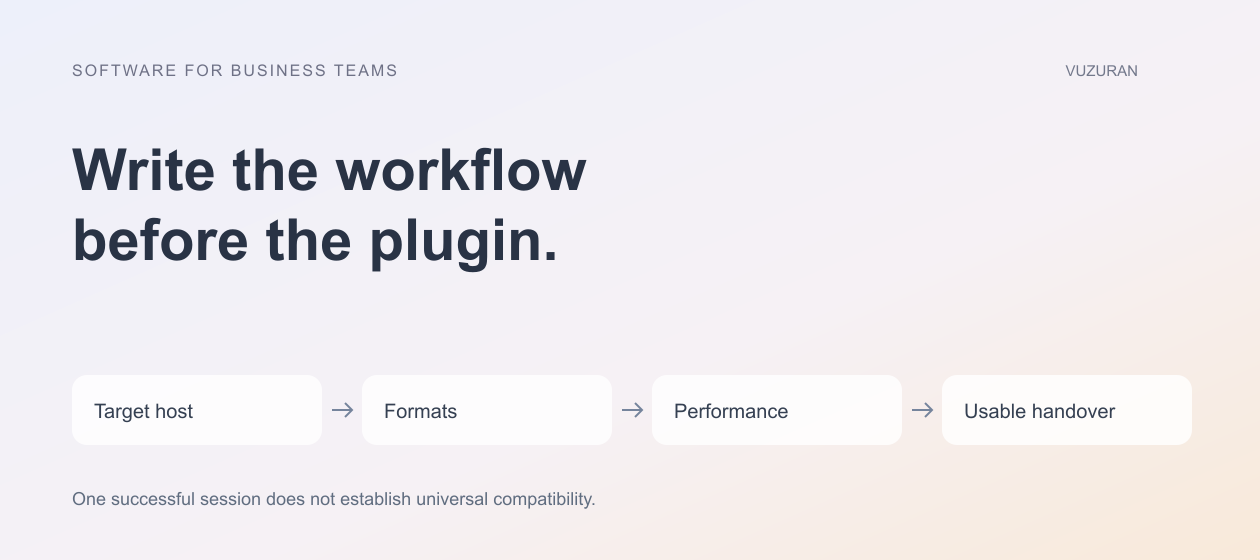
Specify host and format compatibility
List the actual operating systems, host applications and versions the first release must support. Include input and output formats, sample rates or frame rates where relevant, and any required metadata.
Steinberg's official VST 3 SDK repository, reviewed October 27, 2026, provides the VST development resources. A documented plugin format does not make a specific implementation compatible with every host or configuration. The project still needs a defined test matrix.
“Works in my session” is a useful test result, not a complete compatibility statement.
Use representative project files with permission. Include empty sessions, unusual settings and reopening a saved project when those cases matter to the tool.
Separate real-time work from network-dependent assistance
If the tool processes live audio or another timing-sensitive stream, define the performance budget and failure behavior. A slow network call should not unexpectedly interrupt the creator's session.
AI assistance may belong in a preparation or review stage rather than the real-time path. For example, it might suggest metadata, summarize feedback or prepare a proposed organization of assets. The appropriate placement depends on the task and must be tested.
Do not assume a more capable model solves an interface or timing problem. Measure the complete workflow, including waiting, correction and the effect on the host application.
Preserve the creator's original material
Keep a recoverable source and make destructive changes deliberate. A batch rename, conversion or replacement should have a clear preview and rollback strategy appropriate to the operation.
Record what the tool changed and which version produced the result. If the user opens an older project, the software should behave according to the supported compatibility policy rather than silently reinterpret its settings.
For collaborative work, distinguish a source file, review copy and final delivery. Our creator-business tools guide explains how version identity and approval can remain connected without becoming the same state.
Include rights and third-party dependencies in the brief
List the libraries, SDKs, models and assets the proposed tool depends on. Review the applicable terms for distribution and intended use. Do not assume a freely downloadable component permits every commercial or redistribution scenario.
The same care applies to creative inputs and generated outputs. Keep source and permission information where the project owner can review it. This article does not provide legal advice about licensing, likeness or copyright.
Have the responsible person approve the distribution and asset-use approach before release. A developer can identify dependencies, but should not invent a rights clearance the project does not have.
Test the production journey, not only the control panel
An attractive interface is one part of a working tool. Test loading, saving, processing, export and error handling in the supported environment. For a plugin, include the host lifecycle and project reopening behavior relevant to the specification.
Compare the output against a known reference where possible. Check that the tool preserves the technical properties the creator needs. A successful export operation does not establish that the resulting file meets the delivery specification.
For a web workflow, test authorized uploads, project isolation and download access. An external collaborator should see the intended material without gaining access to unrelated projects.
Plan an editable and operable handover
Agree on source code, build instructions, signing or packaging responsibilities, dependency records and support. Decide how new host versions will be assessed and what compatibility the initial engagement covers.
VUZURAN can discuss specialized software, plugins or connected production tools through a project conversation. Bring a short demonstration of the repeated task, sample material you may share and the target environment. That provides a stronger starting point than a request for a plugin without a defined workflow.
Watch: sharing media for review
This official Frame.io Shares tutorial illustrates a media-review handoff. It is provider guidance, not a VUZURAN product demonstration. Check the current Shares documentation for the applicable version and permissions.
Frequently asked questions
Is a plugin always the best form for a creative tool?
No. A utility, extension or web workflow may fit better depending on where the task happens and what access it requires.
Can one plugin support every host immediately?
Support needs a defined format, platform and version matrix with actual testing. Avoid universal compatibility claims based on one successful session.
Should AI run in the real-time processing path?
Only if the implementation can meet the required timing and failure behavior. Preparation or review stages may be more appropriate for network-dependent assistance.
What should the first brief include?
Describe the task, supported environment, formats, performance needs, source-preservation requirements and the evidence that would prove the output is usable.
Sources & context
- Steinberg: VST 3 SDK
Primary reference reviewed October 27, 2026. Scope, examples and evaluation criteria are original VUZURAN editorial guidance; no certification or universal compatibility claim.
Written by VUZURAN. Examples labeled hypothetical are illustrative; they are not customer results. VUZURAN service references describe our own business.