

The team has a dashboard, but staff still ask in chat who is handling a request. The report shows totals, while the work itself moves through private messages and personal spreadsheets. The missing capability may be a clear handoff rather than another chart.
Custom internal business tools are useful when they help people see the right work, make a decision and pass it forward with context. A clean interface matters because it reduces effort, but its structure should follow the operating process.
VUZURAN builds custom software and AI workflows. This guide describes an original method for finding the useful first scope without assuming every organization needs a new platform.
Observe a real task from arrival to completion
Choose a common request and follow it through the team. Record where it arrives, who reads it, which information they need and how the next person knows it is ready. Include offline steps and messages outside the official system.
Ask what changes when the request is incomplete or unusual. These cases often reveal the hidden process: someone knows whom to ask, checks an old file or remembers an exception that is not documented.
The GOV.UK discovery guide offers a public-service reference for investigating users and constraints before building. It is not a requirement for US businesses. The transferable lesson is to understand the work in its context before deciding what the software should be.
Define the work item
Decide what the tool tracks: an inquiry, project, delivery, approval or another unit of work. Give it an identity and a set of states the team can explain.
Keep the original input with the record. A summary can make the queue easier to scan, but a colleague needs access to the supporting message, document or request when making a decision.
Avoid a status field that means several things at once. “In progress” may hide whether work is actively being done, waiting for a client or blocked by an integration. Use distinctions that lead to a different next action.
Make ownership visible
Every unfinished item should have an owner or an explicit unassigned state. A department name alone may be insufficient if nobody is responsible for checking the queue.
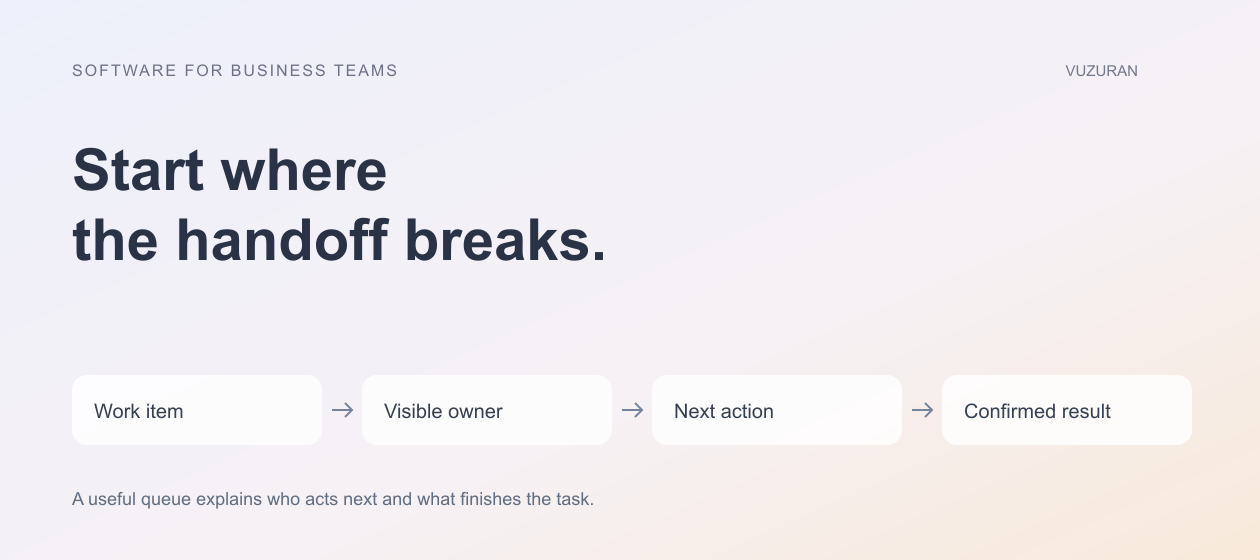
Record what the owner is expected to do next. A due date without an action can create a red badge while leaving the team unsure how to resolve it. A useful task combines responsibility, context and a clear finish.
A work queue should answer who acts next and what evidence lets them finish.
Test the handoff with someone who did not design the system. If they must ask the developer which status to choose or where the supporting file lives, the interface still has an operating gap.
Design the queue before the dashboard
Start with the view people will use to perform the work. Show the fields that distinguish urgent, blocked and ready items. Keep secondary information available without forcing every row or card to carry the entire record.
| Work condition | Information to show | Useful action |
|---|---|---|
| Ready for review | Proposed result and supporting context | Approve, correct or request information |
| Waiting on input | Missing dependency and responsible person | Request or record the input |
| Blocked by a system | Last verified state and failure reason | Retry safely or route for investigation |
| Unassigned | Request type and relevant ownership rule | Assign an accountable owner |
| Complete | Confirmed result and reference | Inspect history or start a distinct next task |
A management dashboard can summarize these states after the underlying queue is reliable. Otherwise, it risks presenting confident totals derived from inconsistent work records.
Preserve meaningful changes
Keep a history of important status, owner and decision changes. A teammate investigating a problem should be able to see what happened without reconstructing it from scattered messages.
Distinguish a suggested update from a confirmed one. If AI prepares a summary or classification, preserve the original source and allow correction. Do not let a generated label become an unquestionable business fact.
Our AI agent monitoring guide explains how technical traces and business outcomes can remain connected without becoming the same record.

Limit access to the right work
Internal does not mean every employee needs access to every record. Define roles and record relationships, especially when the tool includes customer data, commercial details or files from different projects.
OWASP's authorization guidance recommends permission checks on requests. Verify the server behavior as well as the interface. A hidden menu item should not be the only control protecting a record.
Include file access and exports in the review. A person who cannot open a project should not gain its contents through an unrestricted download endpoint or a broader report.
Connect systems without duplicating the truth
If the CRM owns the account contact and another system owns project delivery, make those responsibilities explicit. The internal tool can show a combined view without independently rewriting every source field.
Document which actions write back and how failures are reconciled. A timeout after a destination update should not cause a duplicate record or an incorrect “complete” status. Our CRM integration guide provides a field-ownership framework.
Start with the integrations required for the core job. Each additional connection adds permissions, failure behavior and maintenance responsibilities that should have a clear purpose.
Measure the handoff after release
Compare the time work spends unassigned, waiting for context or returning for correction. Observe whether staff can finish the task with fewer side conversations. Keep the measurement tied to the original problem.
Do not assume the tool has succeeded because employees log in. They may still be doing the important work elsewhere and entering updates afterward. Ask which steps remain outside the system and why.
VUZURAN can help scope an internal tool around a broken handoff, review queue or connected workflow. Bring a representative request and the people involved to a discovery conversation. The first recommendation may be a process change or configuration of an existing tool if that resolves the gap more simply.
Frequently asked questions
Should an internal tool begin with a dashboard?
Begin with the job users need to complete. A useful queue and record view may provide more immediate value than a management overview.
Does every task need a named employee?
Some work can enter a shared queue, but the team still needs an accountable process for monitoring and assignment. Unowned work should remain visible.
Can AI manage the status automatically?
It can assist with defined transitions, but suggested interpretations and confirmed outcomes should remain distinct. Test the exact action and its failure behavior.
How do we know whether custom software is justified?
Show the recurring gap, its operating consequence and why existing tools cannot reasonably cover it. Include maintenance and handover in the decision.
Sources & context
- GOV.UK: How discovery works
Primary reference reviewed October 27, 2026. Public-service methodology is identified as such; business frameworks and examples are original VUZURAN editorial guidance.
- OWASP: Authorization Cheat Sheet
Primary reference reviewed October 27, 2026. Public-service methodology is identified as such; business frameworks and examples are original VUZURAN editorial guidance.
Written by VUZURAN. Examples labeled hypothetical are illustrative; they are not customer results. VUZURAN service references describe our own business.