

A prospective customer fills out a form, receives an acknowledgement and then waits. The founder assumes sales is handling it. Sales assumes the request went to another team. Three days later, someone finds the message and sends a generic follow-up that ignores the original question.
The problem is partly communication and partly ownership. AI lead follow-up automation can help prepare context and keep the next action visible, but it should not simply increase the number of messages sent.
It focuses on inquiries a business is authorized to handle, not unsolicited mass outreach or guaranteed client acquisition.
Preserve the request before summarizing it
Keep the original form submission or message with its source and arrival time. Record what the person asked for, their preferred contact details and any relevant preference they supplied. A summary should point back to this material.
Separate a stated fact from an inference. “Asked whether the tool connects to an existing CRM” is supported by the inquiry. “Has a large implementation budget” may be speculation. Label proposed interpretations and avoid turning them into confirmed CRM data.
If a required detail is missing, ask a focused question or route the inquiry for review. Do not fabricate a company size, service need or deadline to make the record look complete.
Assign an owner before scheduling a sequence
Define who receives each type of request. Include existing customers, partnerships, unsupported services and unclear inquiries. A shared queue can work if someone is responsible for monitoring it and resolving unassigned items.
Give the next action an owner and a due state. “Follow up” is vague; “review the request and respond with the approved scheduling option” is something a teammate can complete.
For an illustrative workflow, AI might prepare the summary and suggest an owner, while a person confirms the assignment. This makes the assistance observable without giving the model broad authority to decide every sales action.
Write the stopping rules first
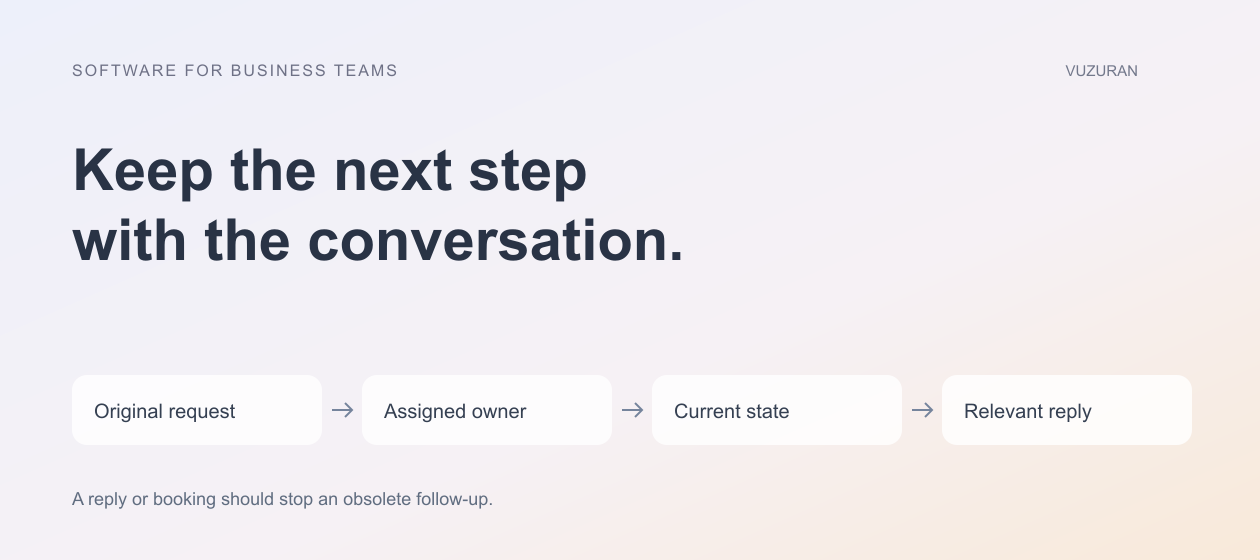
A follow-up should be reconsidered when the person replies, books a call, declines contact or the opportunity changes state. Test those events while the workflow is waiting, not only when it begins.
Check the current conversation before sending a scheduled message; yesterday's reason to follow up may no longer apply.
Use the business's approved communication preferences and policies. This article is not legal guidance on outreach requirements. The important implementation point is that a stop instruction must reach every connected sending path, not remain a note that one tool ignores.
| Event | Intended workflow change | Check before the next action |
|---|---|---|
| Person replies | Pause the automated follow-up | A teammate owns the response |
| Call is booked | Move to the preparation process | Appointment and contact match |
| Contact preference changes | Apply the approved restriction | Connected systems receive the change |
| Inquiry is reassigned | Update responsibility | Old owner does not continue independently |
| Request is unsupported | Route or close with an accurate explanation | No irrelevant sales sequence continues |
Use a draft that answers the actual question
A useful first response acknowledges the specific request and offers an appropriate next step. The assistant can prepare a draft from approved service information, but it should not promise availability, pricing or delivery dates that have not been confirmed.
Keep the proposed recipient, subject and body visible to the reviewer. If the message changes after approval, apply the agreed re-approval rule. Our email automation guide explains why draft management and sending permissions need separate attention.
Avoid synthetic personalization that invents familiarity. A direct answer to the person's question is more credible than a compliment based on uncertain web research.
Make repeated inquiries deliberate
A person can submit a form twice or return with a new question months later. Decide whether that creates a new inquiry, updates an existing one or requires review. Preserve the history without assuming every submission should start the same sequence again.
HubSpot's current re-enrollment documentation, reviewed October 27, 2026, shows that repeated workflow entry is a configuration decision with specific conditions. Your CRM or automation platform may behave differently; test the actual setup.
Use a stable inquiry or operation identifier so a retried integration does not create duplicate tasks or send the same message twice. A timeout after submission is an uncertain result that needs reconciliation, not automatic proof that nothing happened.
Connect booking without losing context
When a prospect chooses a call, link the booking to the originating inquiry and intended contact. The team preparing for the meeting should see the request and any unanswered question, not just a calendar event with a name.
Confirm the timezone and whether the booking is final or pending. If a scheduling integration fails, keep the inquiry visible and tell the person what actually happened. Do not send a confirmation for an event that has not been recorded.
Our appointment booking guide covers availability and confirmation checks that also apply to web-based scheduling workflows.
Measure useful response, not message volume
Track unassigned inquiries, time to a relevant response, duplicate actions and the review effort required. Inspect whether the response answered the original question. Sending faster is not helpful if the person must repeat their request.
For a pilot, compare similar inquiry categories over a stated period. Keep the sample and assumptions visible. Do not claim that automation guarantees clients or revenue; business outcomes depend on demand, fit and the wider sales process.
VUZURAN builds AI agents and connected B2B workflows. A project discussion can begin with your inquiry sources, assignment rules and stopping conditions. Existing CRM features may be sufficient when the required handoff and context are already available.
Frequently asked questions
Is lead follow-up automation the same as a cold-email campaign?
No. This guide concerns handling authorized inquiries and agreed next steps. The source, permission and purpose of communication need to be clear.
Should AI send every follow-up without review?
Start with a defined category and review boundary. Messages that include uncertain facts or commitments should follow the business's approval process.
What should happen when a lead books a call?
Stop obsolete follow-ups and connect the appointment to the inquiry context. Verify that the correct person and team own the next step.
Can this guarantee more clients?
No. It can help the team respond and coordinate more reliably, but it cannot guarantee demand, a sale or a particular revenue result.
Sources & context
- HubSpot: Re-enrollment triggers
Primary reference reviewed October 27, 2026. Public-service methodology is identified as such; business frameworks and examples are original VUZURAN editorial guidance.
Written by VUZURAN. Examples labeled hypothetical are illustrative; they are not customer results. VUZURAN service references describe our own business.