

The weekly report says operations improved. The chart shows more completed items, and the AI summary celebrates a faster team. Then a manager asks whether the count includes reopened work. Nobody knows which query produced the number.
AI business reporting automation can reduce repetitive preparation, but the useful output is a report someone can trace and challenge. The reader should understand the measure, source, period and limitations before acting on the conclusion.
This guide presents an original reporting workflow for business operations. Its examples are hypothetical, not VUZURAN performance results or financial advice.
Define the measure in ordinary language
Before generating a chart, write what each metric includes and excludes. “Completed projects” may mean approved, delivered or closed in the system. Those states can differ, and changing the definition can change the apparent trend.
Name the reporting period and timezone. Explain how late updates, reopened records and deleted items affect the measure. Keep the definition with the report so a future reviewer does not have to reverse engineer it from a formula.
Assign an owner who can approve a definition change. A model should not decide that two similar status labels mean the same thing because it makes the summary easier to write.
Establish the source and extraction record
Record the system, query or export used to prepare the report. Preserve enough information to reproduce the result without unnecessarily copying private records into extra locations.
Check that the extraction includes the intended scope. A report for one client must not silently include another account. A partial API response or missed export page can produce a plausible chart from incomplete data.
Use stable record identifiers where possible. They help detect duplicates and trace a reported item back to its source. Our spreadsheet automation guide explains how a reconciliation sheet can expose missing or repeated records before commentary is generated.
Validate before asking for interpretation
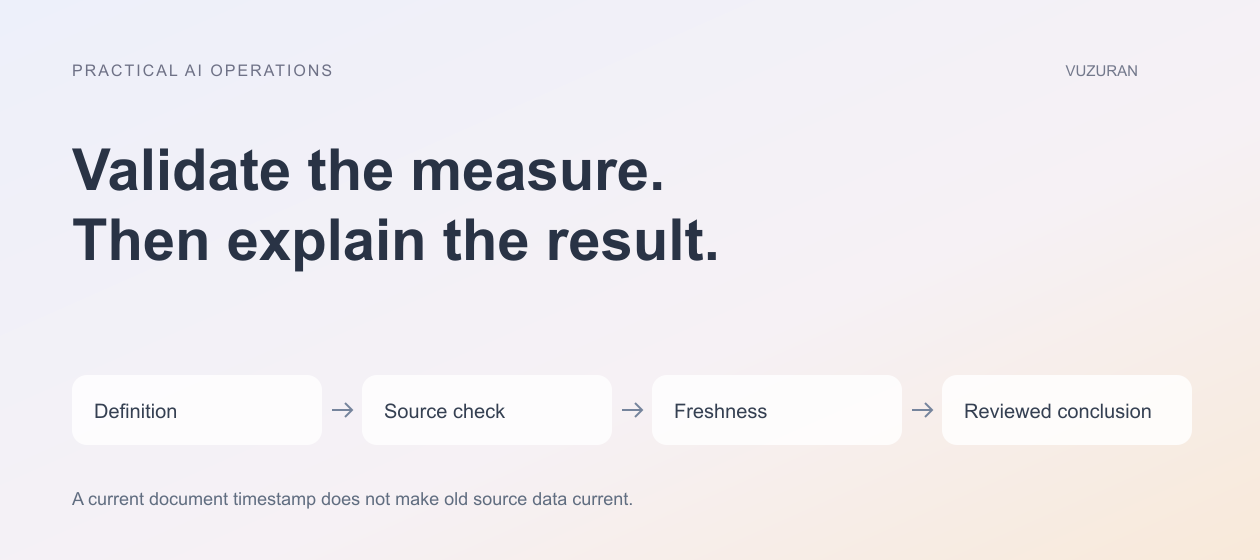
Separate calculation from explanation. Use explicit queries or formulas for defined arithmetic, then supply the checked result and relevant context to the assistant. Do not ask a language model to infer a business definition from a loosely structured export.
Google's AI function documentation for Sheets, reviewed October 27, 2026, describes text-oriented capabilities and limitations on the context available to the function. That is a reason to inspect the actual input range rather than assume an AI cell has checked the whole workbook.
Generate commentary after validating the measure, not as a substitute for validation.
Keep reconciliation failures visible. A report should not be marked ready while required source checks remain unresolved.
Use a report evidence table
Attach the important definitions and checks to the report. The table can be brief, but it should help the reader understand what the number establishes.
| Report element | Evidence to include | Limitation to state |
|---|---|---|
| Metric | Definition and source | Exclusions or incomplete coverage |
| Trend | Comparable periods and method | Definition or source changes |
| Freshness | Extraction or refresh time | Data arriving after the cutoff |
| Explanation | Supporting observations | Correlation does not establish cause |
| Proposed action | Named decision and owner | Assumptions still needing review |
Avoid a footnote so vague that it adds no practical information. “Data may vary” does not explain that one source stopped updating on Tuesday.
Separate observation from explanation
The report may establish that a queue grew. It may not establish why. A simultaneous change in staffing, volume or classification can suggest questions without proving a cause.
Ask the assistant to distinguish observed facts, possible explanations and recommended checks. Keep those categories visible in the final prose. A confident causal sentence should not appear merely because the prompt asked for “insights.”
For a hypothetical example, a rise in completed tasks could reflect more work, a changed closing rule or duplicate records. The correct next step is to inspect the definition and evidence, not automatically attribute the increase to an automation feature.
Preserve freshness and partial failure
A scheduled report can run while one source is unavailable. Decide whether to pause publication, label the missing source or provide a limited report. The choice should depend on the measure and its consequence.
Show the last successful refresh for each relevant source when they differ. Do not update a single “generated now” timestamp in a way that makes old data appear current.
If a notification fails after the report is created, keep the report and delivery states separate. Retrying a send should not regenerate the data or create a conflicting version without a reason.
Review before consequential distribution
Define who approves the report and which changes require review. Check recipients and access to linked records. A summary prepared for an internal operations team may not be appropriate for an external customer.
Use a consistent outgoing version. If data changes after approval, either preserve the approved snapshot or apply the agreed refresh and re-approval process. Avoid sending a live link whose content changes without the reader understanding that behavior.
Our human-review guide explains how approval can remain tied to the exact content and action being authorized.
Measure the reporting process itself
Track preparation time, correction effort, missed refreshes and questions the report fails to answer. A shorter production cycle is useful only if the report remains trustworthy and understandable.
Ask readers which decisions they make from the report. Remove decorative metrics that do not help, and improve the evidence around the measures they rely on. A dashboard with fewer well-defined measures can be more useful than a large collection of unexplained charts.
Keep a change log for definitions, sources and report logic. When a number changes unexpectedly, the team needs to distinguish a real operating change from a reporting revision.
VUZURAN builds custom business tools and connected AI workflows. A project discussion can start with one recurring report, its source map and the decision it supports. Existing reporting features may already fit the need if the definitions and source handling are clear.
Frequently asked questions
Should AI calculate the business metrics?
Use explicit, checked calculations for defined measures. AI can help draft explanations or inspect issues, but it should not silently invent the reporting rule.
Does a current generation timestamp mean the data is current?
No. Show source freshness and any missing refreshes separately from the time the document was generated.
Can the assistant explain why a metric changed?
It can propose explanations, but causal claims need supporting evidence. Distinguish observations, hypotheses and confirmed findings.
What makes an automated report ready to send?
Required source checks, accurate definitions, appropriate access and the agreed review must be complete. A rendered chart alone is not enough.
Sources & context
- Google: AI function in Sheets
Primary reference reviewed October 27, 2026. Original editorial framework and hypothetical business examples; no certification, legal-compliance or outcome guarantee.
Written by VUZURAN. Examples labeled hypothetical are illustrative; they are not customer results. VUZURAN service references describe our own business.