

An approval request arrives in a busy channel. It says the AI wants to update a customer record. The reviewer can approve or reject, but the message does not show which fields will change. Clicking either button now requires another conversation.
That is a review-design problem. Adding a person to a workflow creates value when the person has enough context to make a decision and the system honors the limits of that decision. This guide explains how to plan that boundary for an n8n AI workflow, using a hypothetical customer-support process.
What n8n's human review feature does
The current n8n documentation describes a review step that pauses a selected AI tool call. A person sees the proposed action and can approve it or deny it. The review channel can differ from the main chat interface.
For example, an assistant can collect information through chat while an employee reviews a proposed action in another supported channel. That arrangement does not decide who should be allowed to approve, how long an approval remains valid, or whether the proposed action is appropriate. Your implementation still needs operating rules.
Keep a record of the n8n version and node configuration used for your pilot. Provider interfaces and available operations change. Check the documentation for your installed version before following screenshots from an older tutorial.
Choose the boundary by consequence
Imagine a support assistant helping with a delayed order. It can read the order status, summarize the conversation, prepare a reply, or propose a refund. These actions have different effects.
Reading a permitted record may not need an approval every time. Sending a customer-facing message can create a commitment. A refund changes money owed. Decide which actions require review based on their consequence, the data involved, and the permissions of the person requesting them.
| Proposed action | Useful review information | Suggested pilot treatment |
|---|---|---|
| Read a permitted order record | Record identifier and access scope | Allow within a tested read-only boundary |
| Draft a support reply | Conversation and relevant policy | Review before sending |
| Change a delivery address | Existing address, proposed address, verification state | Require explicit authorized review |
| Propose a refund | Order, amount, currency, reason, applicable policy | Keep a designated person responsible |
These are design recommendations for an illustrative pilot. They are not a statement of your legal obligations or a substitute for your organization's policies.
Write an approval message someone can use
A reviewer needs to know the proposed action, destination, and reason. Put the affected record near the top. Show the exact message or field changes. Include the source information required to assess them.
Avoid making the reviewer open five systems to reconstruct the request. A concise summary can help, but the original record should remain available. Label missing information. If the source and the generated summary disagree, make that visible rather than presenting the summary as settled fact.
An original rule for the workflow specification is:
Approval applies to the action the reviewer saw, including its destination and parameters. A changed action needs a new decision.
Treat this as a requirement to test. Do not assume a tool or connector implements every part of it automatically.
Assign an owner before launch
“Send it to operations” is not a complete ownership rule. Name a role, identify a backup, and decide when a request should leave the queue. Consider working hours and time zones if customers and reviewers are spread across the United States.
A small team can begin with a shared review queue and one accountable person per shift. The important part is that somebody can tell whether a request is waiting, claimed, approved, rejected, expired, or failed after approval. Two colleagues should not accidentally make conflicting decisions on the same request.
Test what happens when a reviewer leaves the team or loses access. The workflow should preserve the request and direct it through an agreed recovery path. A notification sent successfully is not evidence that a responsible reviewer received it.
Decide what silence means
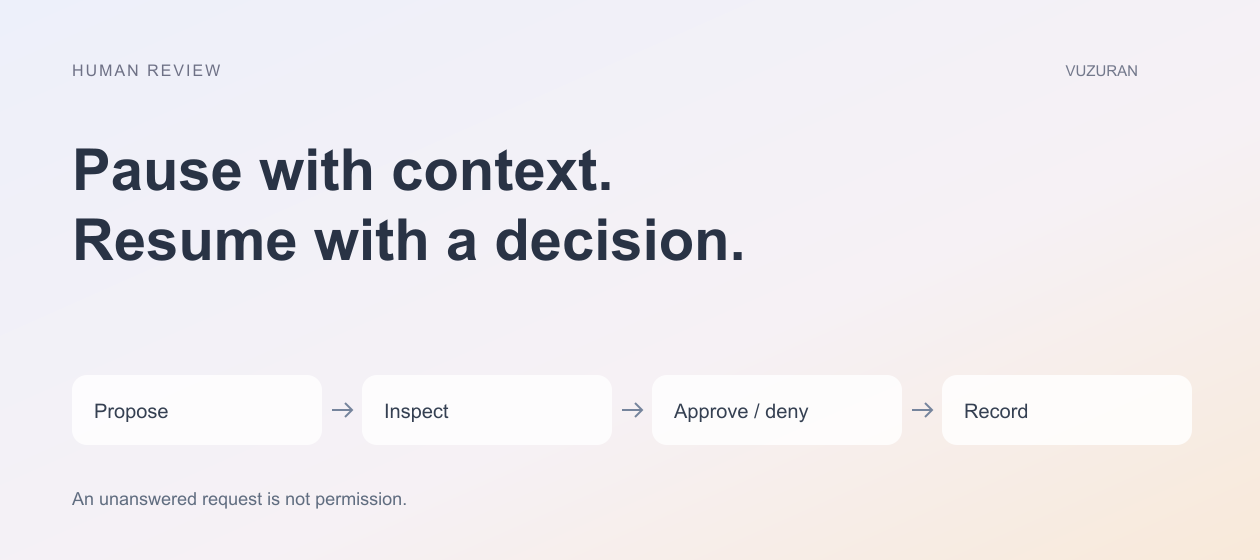
An unanswered approval is an operating state. Define it explicitly. For actions with meaningful external consequences, an expired request should remain unexecuted until an authorized decision is made through the agreed process.
Your timeout may differ by task. A support reply and a scheduled content update have different deadlines. Choose a reasonable expiry period, show it to the reviewer, and define whether an expired item is escalated, returned for revision, or closed.
Avoid endless reminders. One well-timed reminder and a clear escalation path may be easier to manage than repeated messages that train the team to ignore the channel. This is a workflow choice to evaluate with your reviewers.
Test the action after approval
Approval and successful execution are separate events. A downstream API can reject the request, become unavailable, or accept it without returning a response in time. The interface should distinguish those outcomes.
Use a stable operation identifier where the destination supports it. Verify the destination before retrying an action whose result is uncertain. A repeated approval notification should not create a repeated customer message or a second record update.
Build tests for a denied request, an expired request, an edited proposal, a double click, a reviewer without permission, and a failed downstream service. Keep the expected behavior in the same document as the workflow specification.
Track the review workload
Measure how long items wait and how much work reviewers do. Also examine why they reject requests. Frequent corrections may indicate weak source data, an unsuitable task, or an unclear instruction. Removing review would hide the problem rather than resolve it.
During the pilot, ask reviewers whether they can understand each request without reconstructing the whole case. Their answer is a useful signal about interface quality. Review logs should help the team investigate a problem without exposing unrelated customer information.
VUZURAN can examine these handoffs as part of an AI workflow project. A sensible starting brief includes the proposed tool actions, reviewer roles, existing systems, and recovery requirements. Contact the team to discuss a concrete process; an existing n8n workflow may need a focused improvement rather than a complete rebuild.
Frequently asked questions
Does every AI tool call need approval?
No. Define the boundary according to the action and access involved. A read-only lookup and an external commitment should not automatically share the same policy.
Can the review happen outside the main chat?
n8n documents that arrangement. Check the approval channels and node options available in your installed version before selecting one.
Should a timed-out request run automatically?
For a consequential action, define a conservative expiry rule. An unanswered review should not be treated as permission by accident.
What if the action fails after somebody approves it?
Record the execution state separately. Verify whether the destination changed before retrying, and provide an explicit recovery path for uncertain results.
Sources & context
- n8n: Human review for tools
Primary reference reviewed October 27, 2026. Article analysis and examples are original VUZURAN editorial guidance.
Written by VUZURAN. Examples labeled hypothetical are illustrative; they are not customer results. VUZURAN service references describe our own business.