

A team wants help preparing a customer update. The relevant information sits in a document, an email thread, and a project tracker. Copilot may help with the preparation, but the buying decision still depends on the exact experience, connected information, and controls the team can use.
Start with that concrete job. Comparing broad promises about productivity can obscure whether your staff will receive a useful output and whether the underlying records are ready for it.
This guide is for a small business evaluating Microsoft Copilot in its Microsoft 365 environment. Official documentation was reviewed on October 27, 2026. It does not assume that every product carrying the Copilot name has identical licensing or access.
Check the name and the actual entitlement
Microsoft's data, privacy, and security documentation notes a naming transition: Microsoft 365 Copilot is now named Microsoft Copilot, while some experiences and licenses may retain older references during the transition.
That makes precise procurement questions useful. Record which experience you are evaluating, which users have access, and which capabilities are included. Do not infer an entitlement from a familiar product name in a screenshot or an older article.
Ask your administrator or provider to confirm the configuration in your tenant. If the workflow needs an agent, an external source, or a particular application experience, verify that requirement directly before treating it as part of the pilot.
Choose one operational outcome
A good first use case has an identifiable user and a result they can check. Preparing a weekly project-status draft is easier to evaluate than “improve operations.” Specify which projects, which source records, and who approves the update.
For a hypothetical consulting team, the pilot could assemble a draft customer update from approved project information. The reviewer would confirm milestones and remove internal notes before anything is shared externally.
Write down what the system should not decide. A draft update should not quietly change a delivery commitment or turn an unresolved discussion into a completed milestone. Those distinctions matter more than whether the writing sounds polished.
Review the information people can already access
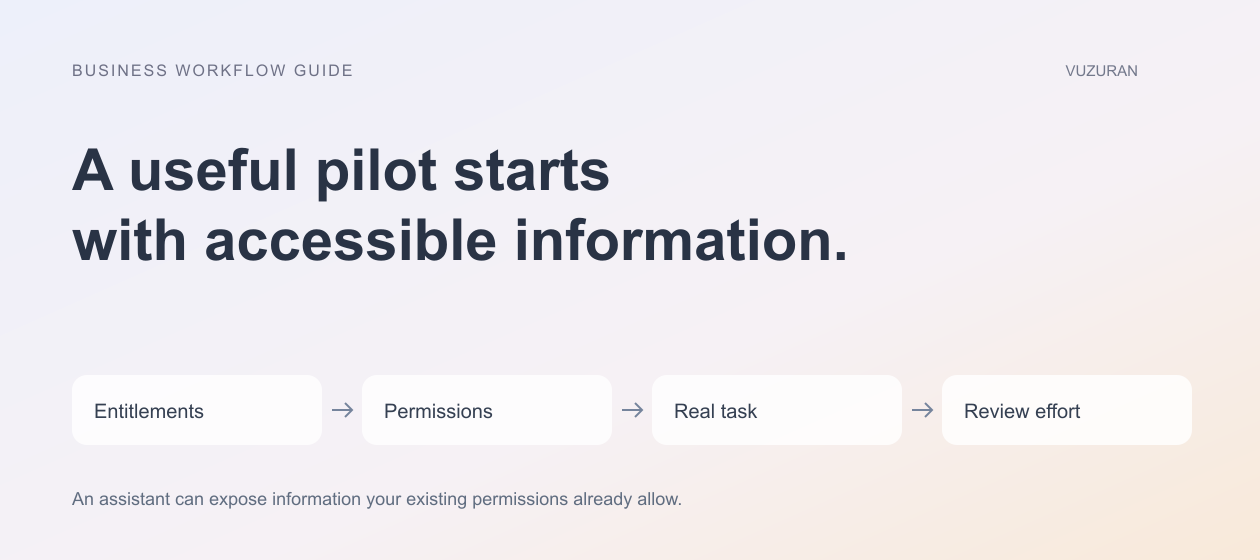
Copilot's documented organizational grounding includes information available through Microsoft Graph and the user's permitted content. That makes the existing information environment important to the rollout.
An AI rollout is a useful moment to review overshared records, not a reason to assume sharing is already correct. Test with the roles that will use the system. Do not evaluate every scenario with an administrator who can see substantially more than an ordinary employee.
Consider document ownership and versioning as well as permissions. A current project plan and an obsolete draft can both be accessible. The workflow needs a way to identify which source governs the customer update.
Compare the kind of extension you need
Microsoft's agents FAQ distinguishes specialized agent experiences from connectors that bring information into Microsoft 365 intelligence experiences. These are related options, not interchangeable names for the same requirement.
Use a decision worksheet before choosing an extension:
| Need | Question to resolve | What to test |
|---|---|---|
| Better access to knowledge | Is the relevant source available and authorized? | A question with a known supporting record |
| A specialized workflow | Which steps and decisions must the experience support? | A representative end-to-end task |
| An external action | What system changes, and under whose authority? | Approval and failure handling |
| A custom interface | What does the operator need to see or correct? | The real review task, not only generated text |
A connector cannot fix an undefined business process. A specialized agent cannot make an outdated source authoritative simply by summarizing it.
Define what a good draft contains
For the project-update pilot, require the current status, supporting records, and unresolved questions. Keep internal risk analysis separate from the customer-facing version. Reviewers should be able to see where a claim came from.
Ask for missing information to be called out. If a milestone has no confirmed completion evidence, the draft should not report it as finished. A clear gap is more useful than a confident sentence that creates work for someone else to correct.
Keep a small set of examples with expected results. Include conflicting source versions, a missing project owner, a permission-restricted document, and an update that contains information inappropriate for the customer.
Measure review effort and adoption
Track how long staff spend preparing and checking an acceptable update. Count corrections that change the meaning, not only spelling edits. Note whether the team continues to prepare a separate manual version because it does not trust the output.
Use the same definition of completion before and during the pilot. A generated draft is not equivalent to an approved update if approval still requires substantial reconstruction.
Ask the actual reviewer what would make the output easier to assess. They may need fewer paragraphs, better source links, or a clearer distinction between a fact and a proposed next step. Those changes can matter more than a longer feature list.
Plan administration and recovery
Microsoft provides small-business security guidance that discusses controls across business offerings. Check which protections apply to your environment rather than assuming that every edition provides the same administration surface.
Name the person responsible for access, source changes, and user questions. Decide what happens when a required connection stops working or a staff member leaves. The pilot should have a manual fallback that preserves unfinished work.
An original rollout principle is:
Expand after the people doing the work can verify the output and explain what happens when it is wrong.
VUZURAN can help evaluate where an existing Copilot experience fits and where a custom integration or business tool is justified. A discovery conversation should begin with your workflow, current systems, and acceptance examples, rather than an assumption that a custom agent is always necessary.
Frequently asked questions
Is every Copilot experience the same product?
No. Confirm the specific experience, license, and enabled capabilities. Microsoft documentation may use different names during the current transition.
Does Copilot solve incorrect source permissions?
Do not rely on that assumption. Review your sharing configuration and test with the actual user roles involved in the workflow.
Should we build an agent or add a connector?
Start with the missing requirement. Knowledge access, specialized behavior, external actions, and custom interfaces may call for different solutions.
What should determine whether we expand the pilot?
Observed usefulness, correction effort, appropriate access, and a workable operating plan. A successful demonstration alone is insufficient evidence for a broad rollout.
Sources & context
- Microsoft: Copilot privacy
Primary documentation reviewed October 27, 2026. Examples and analysis are original VUZURAN editorial guidance.
- Microsoft: Agents FAQ
Primary documentation reviewed October 27, 2026. Examples and analysis are original VUZURAN editorial guidance.
- Microsoft: Business security and Copilot
Primary documentation reviewed October 27, 2026. Examples and analysis are original VUZURAN editorial guidance.
Written by VUZURAN. Examples labeled hypothetical are illustrative; they are not customer results. VUZURAN service references describe our own business.