

An assistant prepares a customer email and sends an approval request. The reviewer sees a button labeled Approve, but not the attachment or the full recipient list. They click it because the summary looks reasonable. The workflow has included a person without giving that person the information needed to decide.
Human-in-the-loop AI automation is useful when the review changes what can happen next. It requires a specific proposed action, an accountable reviewer and a clear relationship between the decision and execution.
It does not claim that adding an approval step alone makes an application safe, compliant or reliable.
Choose the decision that needs review
Separate content preparation from consequential action. Drafting a reply, sending it and changing a customer's account are different operations. Decide which require a person and why.
Avoid routing every trivial step through the same queue. Excessive requests can make review harder to operate and obscure the decisions that matter. Use the task's consequence, uncertainty and approved policy to define the boundary.
n8n's human-in-the-loop documentation, reviewed October 27, 2026, describes pausing selected tool calls for approval or denial. It is a concrete implementation example; the review design still needs appropriate configuration and business ownership.
Show the action the reviewer is authorizing
Present the target record, proposed values, destination and relevant evidence. If the action sends information outside the organization, show the actual audience and content. Include attachments or links that materially affect the decision.
Explain why review is required and what remains uncertain. A reviewer should not have to infer whether the system is asking them to approve a factual claim, a policy exception or an external action.
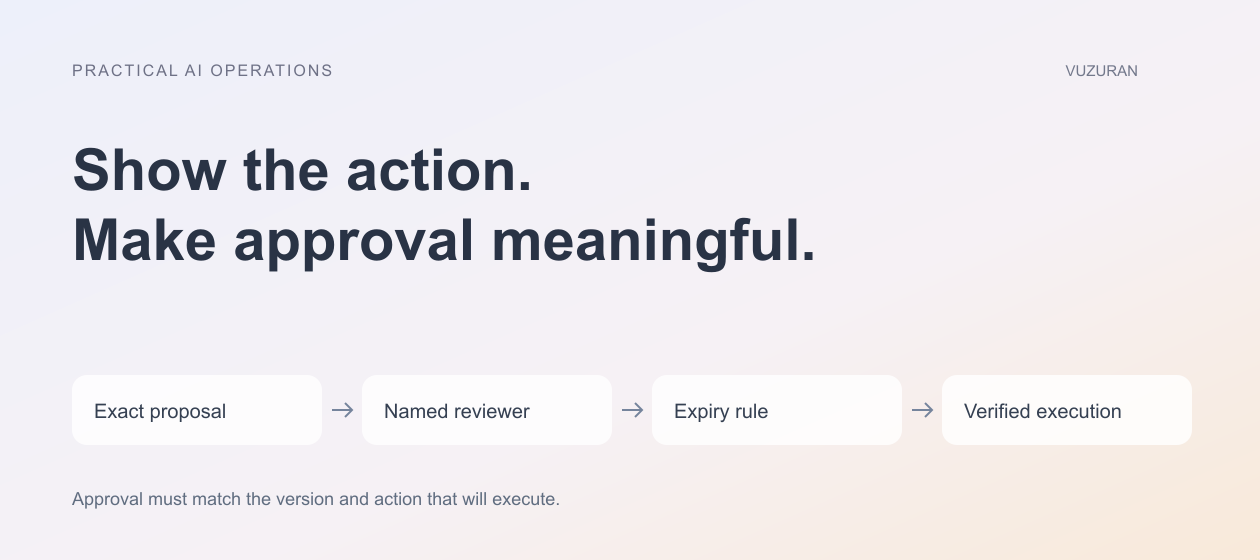
Approval should apply to the exact action and version that will execute.
If the proposed content changes, compare it with the approved version and apply the re-approval rule. A stable task ID does not establish that its message, recipient or parameters stayed the same.
Assign a reviewer who can decide
The right reviewer needs both authority and context. A person who can inspect the information may not be allowed to authorize the resulting action. Define who can approve, reject, correct or delegate each category.
Keep the queue visible to the responsible team. A notification is not an ownership model, particularly when the recipient is unavailable. Include an escalation path and a way to see unassigned items.
For shared queues, record who takes responsibility so two people do not independently process the same request. Preserve the decision history rather than showing only the final status.
Define expiry and changed circumstances
An action may become inappropriate while waiting. A customer replies, a price changes or another employee updates the record. Decide when the proposal expires and what must be checked before execution.
| Waiting condition | Required behavior | Evidence to retain |
|---|---|---|
| No reviewer responds | Remain pending, expire or escalate as defined | Waiting age and assigned owner |
| Source information changes | Revalidate or return for review | Relevant version or changed field |
| Proposal is edited | Apply the re-approval rule | Approved and current versions |
| Reviewer rejects | Do not execute the rejected action | Decision and reason |
| Another actor completes the job | Reconcile before acting | Confirmed destination state |
Do not treat silence as approval unless an explicitly authorized process establishes that behavior for the specific task. A default timeout should not silently authorize a consequential action.
Make rejection useful
Allow the reviewer to explain why a proposal is wrong or incomplete. Use a small set of reasons plus room for context: unsupported fact, wrong target, missing information or action outside scope.
Preserve the original proposal and correction where appropriate. The implementation team can then distinguish a model-quality problem from a source issue or an unclear business rule.
Do not automatically resend the same rejected action with slightly different wording. The next step should address the reason for rejection or route the issue to the responsible person.
Verify execution after approval
Approval authorizes an attempt within the defined process; it does not prove the action succeeded. The application still needs to call the destination, validate the result and record the confirmed state.
If the destination times out, keep the uncertainty visible and reconcile before retrying. A second reviewer clicking Approve should not create a duplicate operation. Our API integration guide explains how operation identity supports that recovery.
Separate approved, executing, confirmed, failed and uncertain states when those distinctions change what the operator should do. A single “done” status can conceal an unfinished external action.
Test the review interface with real operators
Ask a teammate to decide several representative cases without help from the developer. Include an incorrect recipient, outdated evidence and a proposal whose scope is unclear. Observe whether the interface exposes the issue before the decision.
Check access with different roles. A person should not gain permission to approve an action merely because they received a forwarded link. Review the server-side decision as well as the visible button.
Our evaluation guide provides a structure for expected outcomes. Keep the review cases alongside the model and integration tests so a later interface change does not weaken the boundary.
Measure the queue as operating work
Track waiting age, rejection reasons, correction effort and execution failures. A high approval rate does not automatically mean the assistant is accurate; reviewers may lack context or be approving too quickly.
Review a sample of accepted actions against their evidence. Use the findings to improve sources, prompts or workflow rules. Keep the right to pause the system when the review process cannot support the current volume or consequence.
VUZURAN builds custom AI tools and connected business workflows. A project discussion can begin with the decision that needs human control and the evidence required to make it. The result should be a queue people can operate, not an approval button added for appearance.
Frequently asked questions
Does every AI output need approval?
The appropriate boundary depends on the task, uncertainty and consequence. Define the policy rather than applying one identical step to all work.
What happens when nobody responds?
Use an explicit pending, expiry or escalation rule. Do not quietly turn an unanswered request into permission for a consequential action.
Can approval be reused after an edit?
Only according to the agreed policy. Material changes to the target, content or parameters should be detected and reviewed as required.
Is approval the same as completion?
No. Verify the actual execution result and preserve failed or uncertain states until they are resolved.
Sources & context
- n8n: Human-in-the-loop for tools
Primary reference reviewed October 27, 2026. Original editorial framework and hypothetical business examples; no certification, legal-compliance or outcome guarantee.
Written by VUZURAN. Examples labeled hypothetical are illustrative; they are not customer results. VUZURAN service references describe our own business.