

A business already using Gmail, Drive, and Sheets may not need another platform to improve a routine process. It may need a better use of the tools it has. The difficult part is determining which requirement a native feature covers and where a separate integration is still necessary.
Google Workspace AI automation is not one uniform capability. A feature in a document editor, an AI step in a flow, and a script that updates records have different requirements. Evaluate the actual job and the actual Workspace edition rather than buying from a broad description of “AI included.”
This guide uses official documentation reviewed on October 27, 2026. It offers an original evaluation worksheet rather than a universal feature or pricing comparison.
Describe the process before comparing products
Take one recurring task. A hypothetical service company might collect a project request, check required information, prepare an internal summary, and send it to the person who owns the account. Write down the trigger and the outcome separately.
List where information comes from and where the result must go. A process that begins in a Google Form but ends in an external CRM is different from one that stays inside Workspace. The missing connection may matter more than the quality of a generated summary.
Identify which steps follow rules. Checking whether an email address exists does not require a language model. Interpreting a long project description may benefit from one. Keeping those distinctions visible makes the comparison easier.
Verify the specific feature and edition
Google's Workspace Studio administrator documentation explains controls for Gemini-powered steps and lists supported editions for that setting. Do not turn the presence of that page into a claim that every Workspace account has identical Studio capabilities.
Ask the administrator to confirm what is enabled for the intended users. Record the feature name, edition, and any relevant configuration. A demonstration in another organization's tenant is not proof that the same workflow is available in yours.
An AI feature being available does not prove that the entire business process is covered. Compare each required handoff, action, and exception with the capabilities you can actually use.
Compare native features, scripts and integrations
An existing product feature may be the simplest fit. A script can handle a deterministic process that needs custom logic. A broader integration may be appropriate when records cross systems or need more explicit operating controls.
Use the following original worksheet during evaluation:
| Requirement | Question to ask | Evidence of a workable fit |
|---|---|---|
| Trigger | What starts the process? | A demonstrated event or supported schedule |
| Source | Which account can read the input? | Tested access to the intended records |
| Interpretation | Which step needs AI judgment? | Representative outputs with review criteria |
| Action | What changes outside the draft? | A defined destination and approval rule |
| Recovery | What happens when a step fails? | A visible exception and a responsible owner |
Do not select a tool because it can reproduce the happy path. Test a missing field, a disconnected destination, and a request that should not be processed.
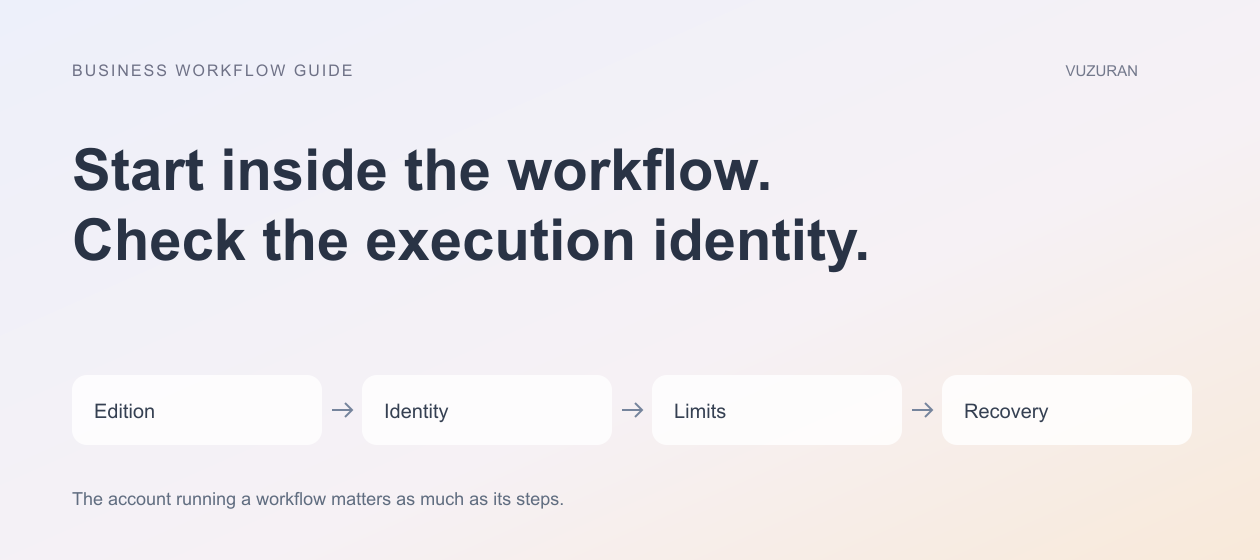
Understand the identity behind a script
If Apps Script is part of the design, check how it runs and which authorization it uses. Google's authorization guide explains that private Google data requires authorization and that execution identity depends on the script scenario.
That identity is a business decision as well as a technical detail. A process tied to one employee's account needs a plan for absence, role changes, and departure. A shared operational arrangement needs appropriate administration and limits.
Review access again when the workflow expands. A script that originally handled one spreadsheet may later request additional services. New requirements should lead to an explicit access review rather than an automatic assumption that the original approval covers everything.
Check capacity and failure behavior
Apps Script has documented quotas and limits. Check the relevant limits for your account and services instead of quoting a number from an old tutorial. A successful small test does not establish capacity for your expected workload.
Estimate ordinary volume and plausible bursts. A campaign can generate many inquiries at once. Decide how pending work is retained, how failures are reported, and whether a retry can repeat an external action.
For a pilot, record what happens when a limit is reached. The operator should be able to distinguish a delayed task from a completed one. If the interface reports success before the destination updates, the team needs a clearer state model.
Make review part of the workflow
A generated summary can be useful without being authoritative. Define what a reviewer checks and what happens when the input is ambiguous. A customer-facing reply should not inherit the same permissions as an internal draft merely because both contain text.
In the hypothetical inquiry workflow, staff could approve the category and the proposed next step before any external commitment. A rejected proposal should remain understandable: what was wrong, which source was missing, and whether the request needs a revised response.
An original operating rule is:
Keep predictable checks in software, make uncertain judgments reviewable, and show who owns the next action.
Evaluate the total operating arrangement
Compare subscriptions, any connected services, implementation effort, and ongoing administration. Also consider what happens when a feature or policy changes. A low initial setup cost can be misleading if nobody is responsible for maintaining the result.
Google's Studio documentation describes behavior when AI access is disabled. That makes configuration changes an important test case. Ask how the team will notice an affected flow and what manual path remains available.
VUZURAN can help examine the boundary between native Workspace features and custom business software. Bring a process map and a sanitized example to a discovery conversation. The useful outcome is a scoped recommendation, including reasons an existing feature may already be enough.
Frequently asked questions
Does every Google Workspace plan include the same AI automation?
No universal assumption is appropriate. Check the official documentation for the particular feature and verify the configuration in your own account.
Is Apps Script the same as an AI agent?
No. A script can implement a predefined process and may call an AI service for a specific step. Decide which parts of your task need interpretation and which need ordinary rules.
Can a flow connect to our CRM?
Confirm support for your actual destination and the actions you need. Reading a record and creating or updating one are different requirements.
What should we test before rollout?
Test expected inputs, missing information, permission changes, service limits, destination failures, and the person responsible for recovery.
Sources & context
- Google: Manage Gemini steps in Workspace Studio
Primary documentation reviewed October 27, 2026. Examples and analysis are original VUZURAN editorial guidance.
- Google: Apps Script authorization
Primary documentation reviewed October 27, 2026. Examples and analysis are original VUZURAN editorial guidance.
- Google: Apps Script quotas
Primary documentation reviewed October 27, 2026. Examples and analysis are original VUZURAN editorial guidance.
Written by VUZURAN. Examples labeled hypothetical are illustrative; they are not customer results. VUZURAN service references describe our own business.