

A slide generator can produce a complete deck before the team agrees on its main argument. That speed is useful for exploring a structure. It becomes a problem when a draft chart or an invented customer example survives into the version sent to an investor, buyer or colleague.
For a business presentation, the standard should be whether the speaker can explain and support each important claim. Visual polish helps the audience follow the argument; it cannot establish that the argument is true.
It focuses on business communication, not a ranking of products or a claim that one subscription fits every team.
Write the decision before generating slides
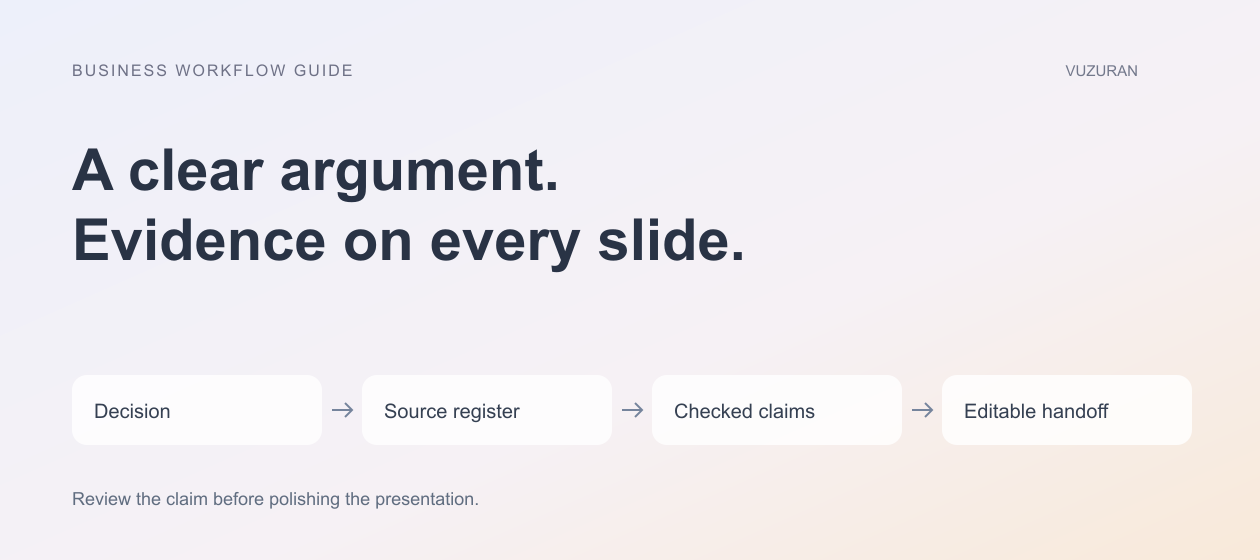
Start with one sentence describing what you want the audience to decide. A product update may ask a customer to approve the next implementation stage. An internal proposal may ask leadership to fund a limited pilot. Those are different decks even if both describe the same software.
List what the audience already knows and what remains uncertain. A founder can often remove several introductory slides once the actual audience is clear. That creates room for evidence, trade-offs and a specific next step.
Give the AI tool a brief containing the decision, audience, available sources and prohibited assumptions. Tell it to mark missing information rather than supply plausible numbers. Review the outline before requesting a finished design.
Build a source-to-slide register
For every material claim, keep a record of the supporting source and the intended slide. The register can be a simple table shared with the people reviewing the deck.
| Proposed slide | Evidence to attach | Review question |
|---|---|---|
| Current operating problem | Approved process notes or measured baseline | Does this describe the actual workflow? |
| Proposed change | Scoped implementation plan | Which parts are confirmed versus exploratory? |
| Expected benefit | Explicit calculation and assumptions | Is this a forecast or an observed result? |
| Customer example | Authorized, accurate material | Do we have permission to use it? |
| Next step | Named owner and requested decision | Can the audience act on this? |
Keep the register after the presentation is finished. It makes updates easier when a plan changes or a number is revised. A footnote saying “internal data” is less helpful than a traceable file, period and calculation owned by someone on the team.
Know what the tool actually uses
In its Gemini in Slides documentation, reviewed October 27, 2026, Google describes generating slides, rewriting text and referencing Drive files. Access requires an eligible plan. The documentation also explains how to inspect sources used in a response and warns that generated suggestions can be inaccurate.
Those features can help create a draft from approved material. They do not mean the tool has verified every business claim. Check the precise files used, especially when several similarly named decks or earlier plans exist.
If your organization uses another tool, run the same test: which source supplied this statement, and can the reviewer open it? Product screenshots and a list of integrations do not answer that question by themselves.
Keep the first draft visibly provisional
Use plain labels for assumptions and placeholders. Do not give an unverified forecast the same visual treatment as an observed result. A team reviewing a polished draft may miss a placeholder because the slide already appears finished.
A slide becomes ready when its claim and evidence are reviewed, not when its layout looks complete.
Where the facts are incomplete, write the question the team must answer. “Confirm the reporting period” is more useful than an attractive chart with a guessed date range. Remove any sample customer logo or testimonial that does not belong to the business.
Editorial principle: a polished placeholder is still a placeholder.
Check every chart against the source
Recalculate the values outside the visual presentation. Confirm the units, reporting period, denominator and treatment of missing values. Check whether the chart's scale changes the impression of the result.
Suppose a hypothetical pilot reduced one task from 20 minutes to 12 minutes, but added five minutes of review. The deck should not present the eight-minute drafting reduction as the entire operating benefit. Show the relevant review effort and explain the measure being used.
Our automation ROI guide offers a way to separate gross time savings from the work that remains. The presentation should preserve those distinctions rather than compress them into an unsupported headline.

Make the deck usable without the generator
Test the exported file in the format the recipient will use. Check fonts, chart labels, image resolution, links and speaker notes. A deck that looks correct in the browser may change when opened in another presentation application.
Ask whether charts and text remain editable. Decide who owns the source file and where approved assets are stored. If a future teammate needs to change one sentence, they should not have to reconstruct the entire deck from a flattened image.
Review accessibility as part of the handoff. Use readable type, sufficient contrast and meaningful chart labels. Do not rely on color alone to explain a status or distinction. Describe important visuals in the accompanying notes where appropriate.
Run a short rehearsal with a skeptical reader
Have someone who did not write the deck ask what each key slide establishes. Note where they confuse a proposal with a commitment or an illustration with a measured result. Those misunderstandings often reveal a clearer edit than another round of decorative changes.
Check the spoken version too. A slide may need less text if the speaker can explain the detail, but a deck intended for asynchronous reading needs enough context to stand alone. Choose the format deliberately.
VUZURAN builds AI software and connected workflows for business teams. If recurring presentations depend on manual exports and repeated data cleanup, a workflow discussion can explore the source-to-report process. A better slide template alone may be sufficient when the underlying data is already reliable.
Frequently asked questions
Can AI create the whole presentation?
It can generate a substantial draft. The business still needs to review claims, source material, permissions, calculations and the requested decision before using it.
Should we include generated images?
Use them when they clarify the argument and you have appropriate usage rights. Avoid images that could be mistaken for a real customer, product result or event.
What is the most important export test?
Open the actual handoff file in the recipient's expected application. Inspect the slides and test links, notes, charts and editability rather than assuming the export is identical.
How can a small team review faster?
Agree on the decision and source register first. Review the outline and claims before polishing the final layout, so errors do not become expensive visual revisions.
Sources & context
- Google: Collaborate with Gemini in Slides
Primary documentation reviewed October 27, 2026. Evaluation framework, hypothetical examples and editorial analysis are original.
Written by VUZURAN. Examples labeled hypothetical are illustrative; they are not customer results. VUZURAN service references describe our own business.