

The easiest email automation to demonstrate is a reply that sounds right. The harder questions concern the recipient, the attachment and the commitment inside that reply. Was the message meant for an existing customer? Is the quoted delivery date approved? Did the attachment contain another account's information?
For a small business, email is both a work queue and an external communication channel. An assistant that organizes incoming requests can be useful without having authority to speak for the company. Treat every increase in that authority as a separate rollout decision.
Gmail documentation supplies concrete permission examples; the workflow should be adapted to the mail platform and organizational controls you actually use.
Choose the smallest useful job
Start with a repeated task that has a clear finish: suggest a label, summarize a thread for its owner or prepare a draft from approved information. Define the permitted mailbox and the messages the workflow should inspect.
A pilot that summarizes incoming website inquiries does not need every employee's historical correspondence. Limit the working material and preserve the original thread so a reviewer can inspect context.
Decide what the system should do with ambiguous messages. A mixed request containing a support question and a contract change should not be forced into one confident category merely to keep the queue moving. A visible review item is often the right outcome.
Build a permissions ladder
Write down the steps from observation to action. For each step, identify both the application's intended behavior and the provider permissions it receives. These are related but not identical controls.
| Pilot stage | Intended behavior | Required review |
|---|---|---|
| Classification | Suggest a category or priority | Does the original message support the label? |
| Summary | Prepare internal context | Are uncertainty and missing facts visible? |
| Draft | Propose an external reply | Are recipients, claims and attachments correct? |
| Approved send | Send the exact reviewed message | Does approval still match the current draft? |
| Limited automatic send | Handle a narrowly defined category | Are stop conditions and monitoring effective? |
Google's Gmail scope documentation, reviewed October 27, 2026, recommends requesting narrowly focused access. It distinguishes reading, sending and other permissions. Importantly, the compose scope covers managing drafts and sending mail. A product described as “draft-only” therefore needs to explain how it prevents sending if its underlying credential can do both.
A draft-only interface is not, by itself, proof of a draft-only permission boundary.
Ask the implementation team to document credential access, application enforcement and the approval path. Avoid granting a broader mailbox scope solely because it is convenient during development.
Specify what a reviewer must see
Show the recipient list, subject, body and attachments together. If the system proposes a reply in a long thread, provide enough context to distinguish the latest request from an earlier one.
Identify statements that need verification: delivery dates, prices, refunds, service commitments and references to private account information. The assistant should use approved sources or flag the missing information. It should not fill a gap with a plausible promise.
For attachments, verify the actual file and intended recipient. A matching filename is insufficient when several versions exist. Consider a separate review requirement when the message includes material outside the usual pilot scope.
Bind approval to a specific draft
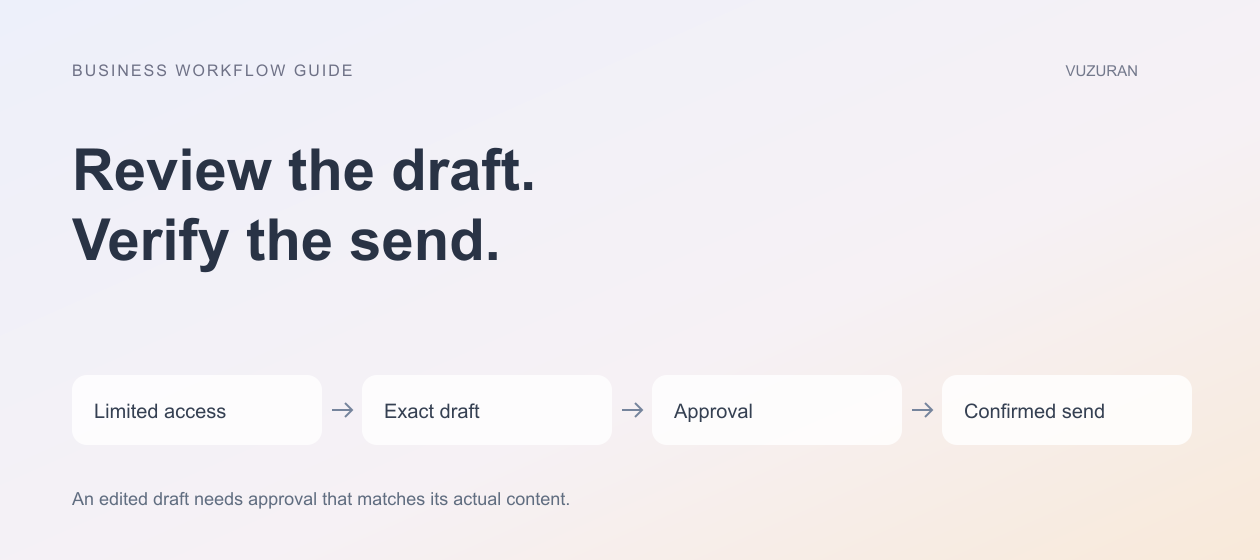
Approval should apply to the content and recipients that were reviewed. If either changes, decide whether approval must be repeated. Do not let a background regeneration replace an approved reply immediately before sending.
Google's draft resource guide explains that a draft has a stable container ID while its underlying message can be replaced, and that sending creates a new sent message. Those resource details are useful when designing a reliable approval record.
Record an approved version or content fingerprint, the reviewer and the intended action. The implementation can then detect a changed draft instead of assuming that a familiar draft ID means unchanged content.
Editorial principle: approve the message that will be sent, not an earlier version of the idea.
Check context again before sending
A reply can arrive while the draft waits for approval. A salesperson may answer manually, or a customer may withdraw the request. Before the final action, check the current conversation state against the workflow's stop conditions.
Also verify the sender account and recipients. “Reply all” can change the audience of information that was safe in a narrower conversation. Do not infer permission to include someone merely because their address appears somewhere in the thread.
When the action is no longer appropriate, return the item to review with an explanation. Preserving the reason helps the team distinguish a useful safeguard from a silent failure.
Handle an uncertain send result
A network timeout can leave the application unsure whether the provider accepted a message. Repeating the send without checking can create duplicates. Keep an operation record and reconcile the provider result before retrying an uncertain action.
Our AI API integration guide covers this recovery pattern. Test it with a controlled mailbox and authorized recipients before enabling the workflow for real customers.
Track failed, pending and confirmed actions separately. An internal “completed” flag should reflect evidence from the mail provider, not merely the fact that the application attempted a request.
Measure correction effort as well as speed
During the pilot, record how often reviewers change recipients, correct facts or reject a draft. Separate writing edits from substantive corrections. A reply that needs a different greeting is not the same as one that invents a contractual commitment.
Compare time to a correct response for similar categories of messages. Include review and exception handling. Do not claim a broad productivity improvement from a handful of unusually easy examples.
VUZURAN develops AI agents and connected business tools. A workflow discussion can start with one inbox task, the required access and the approval boundary. Existing mail rules or a native drafting feature may already solve the problem without a custom integration.
Frequently asked questions
Should the first pilot send messages automatically?
A reviewed draft is usually a more observable starting point. Automatic sending should be a deliberate expansion with a narrow category, stop conditions and a clear owner.
Can a compose permission include sending?
Yes. Gmail's current compose scope covers both draft management and sending. Check the provider documentation and the application's additional controls rather than relying on a feature label.
What happens if someone edits an approved draft?
The workflow should detect the change and apply the agreed re-approval rule. Approval must correspond to the actual recipients and content being sent.
Is a timeout proof that no email was sent?
No. The provider may have accepted the action before the response was lost. Reconcile the result before sending again.
Sources & context
- Google: Gmail API authorization scopes
Primary documentation reviewed October 27, 2026. Frameworks and business examples are original editorial analysis.
- Google: Create and send draft emails
Primary documentation reviewed October 27, 2026. Frameworks and business examples are original editorial analysis.
Written by VUZURAN. Examples labeled hypothetical are illustrative; they are not customer results. VUZURAN service references describe our own business.