

A PDF arrives, the system extracts its fields and a row appears in the business application. The demonstration takes seconds. The real test is a document with a faint scan, a changed layout or a total that does not match the line items.
An AI document-processing workflow needs a way to handle those exceptions before it can be trusted with routine work. Otherwise, a fast export can move an unnoticed error from one inbox into several systems.
For a small US team, the best first release is often narrow: one document family, a defined set of fields and an observable correction process. This guide offers an original design framework, with Google Document AI documentation as a technical example rather than an endorsement or performance benchmark.
Define the record you need to create
Start with the destination. Which fields does the business system require, and what does each field mean? An invoice date, payment due date and processing date should not be interchangeable because they all look like dates.
Write the accepted format, whether the field is required and where the value should come from. Include a rule for a missing value. “Unknown” is more useful than a guessed value that looks complete.
Decide whether the output is a proposed record or an approved one. Extracting a document does not automatically authorize a payment, account change or contractual commitment. Keep those decisions in their existing approval process.
Preserve the original document and its identity
Assign each received document an identifier and record its source. Keep a reference to the original file so a reviewer can inspect the relevant page. If the same file arrives twice, the workflow should recognize the duplicate according to a documented rule.
A file hash can identify an identical upload, but it does not establish that two differently scanned files represent different business transactions. Where appropriate, compare the business identifier and other relevant fields as well. Route uncertain duplicates for review rather than silently discarding them.
Restrict access to the original and the extracted data. An image in a correction queue can contain more information than the fields your workflow needs. Show only what the reviewer is authorized to inspect and keep retention responsibilities clear.
Retain field-level evidence
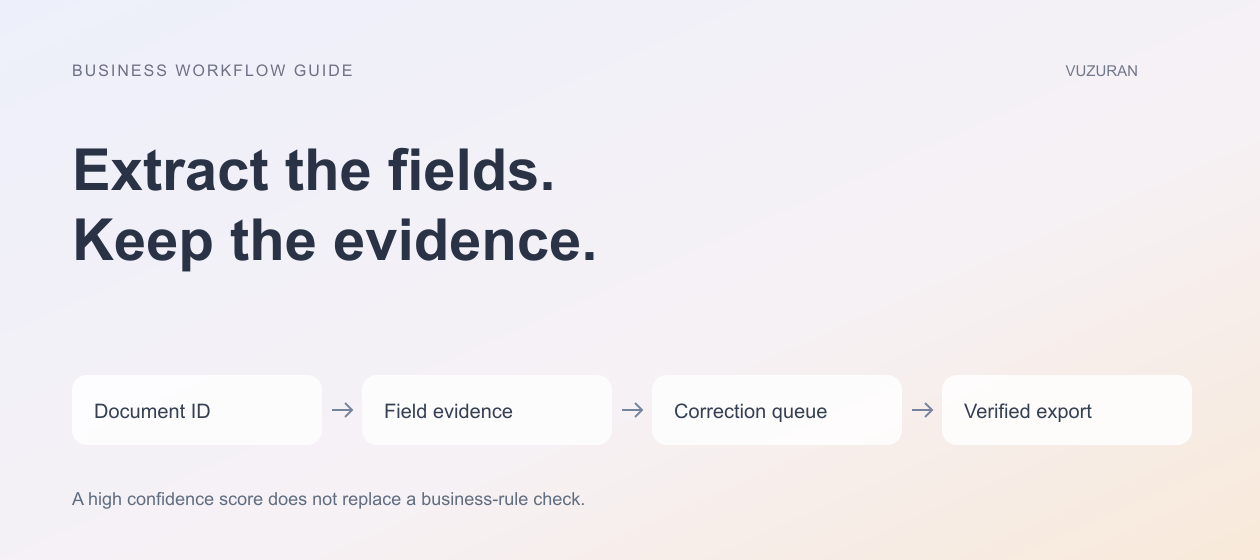
Google's Document AI response guide, reviewed October 27, 2026, describes recognized text, layout references, entities and normalized values. It shows how extracted fields can refer back to text and page information. These structures can support a review interface that highlights the source of a proposed value.
Use that evidence when the processor supplies it. A reviewer should be able to select a field and see the relevant source area, not scroll through a long document searching for the number.
Keep the raw extracted text separate from a normalized value. “Oct. 27, 2026” and an unambiguous stored date may represent the same information, but retaining both helps investigate a transformation error.
Treat confidence as one signal
A processor's confidence score can help prioritize review. It does not establish that the value satisfies the business rule or that the whole document is correct. A clearly printed number can still be the wrong number for the destination field.
Review policy should consider the field's consequence and validation result, not just the model's confidence score.
For example, a hypothetical workflow might require review when an account identifier changes or when a total fails a reconciliation check. That policy can apply even if the extraction score is high. Do not copy a universal threshold from a demo and assume it suits every document family.
Build a correction queue people can operate
Show the document reference, proposed fields, validation failures and the reason review is required. Make it easy to correct a value while retaining an audit record of the original proposal and the reviewed result.
| Exception | What the reviewer needs | Safe next step |
|---|---|---|
| Missing required field | Source page and field definition | Supply a supported value or request information |
| Low-quality scan | Original file and readable preview | Request a clearer document if needed |
| Conflicting totals | Line items and calculation rule | Reconcile before export |
| Possible duplicate | Related record identifiers | Confirm whether this is a new transaction |
| Unrecognized layout | Document family and extracted evidence | Review or route to a supported process |
Name the owner of the queue and define what happens when nobody responds. An exception that waits indefinitely is still unfinished work, even if the extraction service is healthy.
Editorial principle: the correction queue is part of the product, not a temporary inconvenience around the model.

Validate the export separately
Before writing to the destination, validate required fields, formats, units and relationships. Keep USD and other currencies distinct. Check that the selected customer or vendor is the intended record rather than the nearest text match.
Record the export operation and the destination's response. A successful extraction does not prove the downstream write succeeded. A timeout after a write may require reconciliation before retrying, as described in our AI API integration guide.
Test partial completion. If the destination accepts the header but rejects one line item, the workflow should expose the actual state and recovery path. Do not mark the entire document complete merely because the first request returned successfully.
Evaluate on the documents your team receives
Build a test collection with permission to use the material. Include common layouts, missing pages, rotated scans, changed labels and duplicate arrivals. Keep a final evaluation set separate from the examples used to tune the system.
Measure accuracy by field and document type, along with review time and export failures. A single average can hide a weak field that matters greatly to operations. Report the sample and method when discussing results; do not invent a broad accuracy percentage from a small demonstration.
Use the review record to improve the workflow. Repeated missing fields may indicate a source-process problem. Repeated layout failures may justify a different processor or a narrower scope. More prompt text is not always the right fix.
VUZURAN builds custom business software and AI workflows. A project discussion can start with a permitted sample, destination schema and correction requirements. Existing document tools may already fit the need if their review and export behavior matches the process.
Frequently asked questions
Is OCR the same as a complete document workflow?
No. Recognizing text is one step. The business also needs field interpretation, validation, review, destination updates and recovery from failures.
Can high confidence remove every human check?
No universal threshold establishes that. Evaluate the field, consequence, validation rules and performance on representative documents.
Should we discard the original after extraction?
Follow the business's approved retention policy. Keep enough authorized evidence for review and investigation rather than making an automatic assumption in the extraction code.
What is a sensible pilot scope?
Choose one document family and destination, define the required fields and build a correction queue. Test difficult examples before widening the intake.
Sources & context
- Google Document AI: Handle processing response
Primary documentation reviewed October 27, 2026. Original editorial frameworks and explicitly hypothetical examples; not provider-endorsed or measured customer results.
Written by VUZURAN. Examples labeled hypothetical are illustrative; they are not customer results. VUZURAN service references describe our own business.