

A prospect submits a form twice. The CRM creates two tasks, an automated email goes out, and a salesperson sends another message after reading an AI summary. The team has added speed without improving coordination.
AI CRM automation tools can help interpret inquiries, prepare notes and suggest next actions. The foundation is still a clear record of who owns the relationship and which actions have already happened. Without that foundation, another automation can make an existing inconsistency harder to see.
It uses current HubSpot documentation to illustrate trigger behavior; the framework also applies when assessing other CRM systems or a custom integration.
Map the record before the workflow
Identify what the process operates on: a contact, company, deal, inquiry or another business object. Decide how that record relates to an existing customer and which system owns each important field.
For a website inquiry, an email address may help locate a person, but it does not automatically establish a new deal or authorize every kind of follow-up. Keep the submitted request and its source alongside the matched contact. Preserve the distinction between a new inquiry and a change to an existing record.
Write a simple ownership rule. If a record already has an account owner, explain when the new inquiry stays with that person and when a team queue should receive it. Do not let two connected systems continually overwrite the same owner field.
Distinguish an event from a condition
“An inquiry was submitted” describes an event. “The inquiry status is new” describes a condition. Those can produce different enrollment behavior, especially when a record changes more than once.
HubSpot's workflow enrollment documentation, reviewed October 27, 2026, distinguishes event-based and filter-based triggers and documents plan-specific options. Its re-enrollment guide explains that repeated enrollment requires deliberate configuration and that a record cannot re-enroll while it is already enrolled.
The business implication is to test the actual trigger, not rely on its label. Ask which event starts a run, whether existing records enter and what happens when the same record qualifies again.
Write a transition table
Document the permitted next step for each important state. Include the condition that stops the automation. This makes review easier for both the sales owner and the implementation team.
| Current situation | Intended next step | Stop or review condition |
|---|---|---|
| New inquiry with no owner | Assign according to a documented rule | Missing information requires review |
| Existing customer asks a new question | Route to the responsible account team | Avoid starting an unrelated prospect sequence |
| Follow-up is scheduled | Check current conversation state before sending | A reply or opt-out changes the path |
| CRM update times out | Reconcile the remote result | Do not create a second action blindly |
| A deal is closed | Apply the relevant handover process | Stop obsolete sales follow-ups |
This is a planning example. Your approved communication policy and CRM configuration determine the actual transitions.
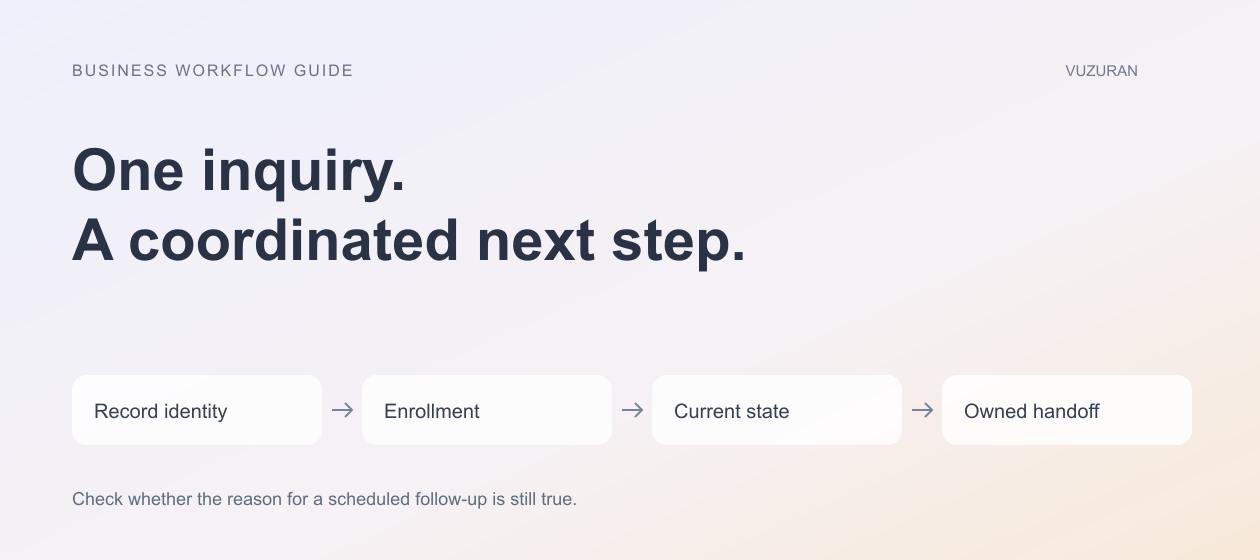
Before sending a scheduled follow-up, check whether the reason for sending it is still true.
A workflow that was valid yesterday may be inappropriate after the prospect replies, books a call or asks not to receive messages. Test those changes while a run is waiting, not only at its initial entry.
Use AI for interpretation with visible boundaries
An assistant might summarize an inquiry or suggest a routing category. Preserve the original message so a reviewer can check the interpretation. Include an uncertain outcome rather than forcing every message into a confident category.
Keep model-generated suggestions separate from confirmed CRM facts. “Appears interested in a larger rollout” is an interpretation; “requested pricing for 40 seats” is a claim that should be supported by the message. A summary should not silently become a forecast, commitment or verified budget.
Decide which fields the assistant may write. Start with internal notes or proposed values where practical. Actions that affect a customer, a contract or a payment need their own authorization and validation.
Prevent repeated actions across systems
Give each submitted inquiry or business action an identifier. When a system retries, it should recognize the operation rather than create another task or message. Where the destination lacks a suitable duplicate-prevention feature, design an explicit check and reconciliation process.
A timeout does not prove that the CRM rejected the request. The record may have been created even though the response did not arrive. Our AI API integration guide explains how to treat that uncertain result without blindly repeating the action.
Also check deliberate re-enrollment. A repeated workflow can legitimately be needed for a new inquiry, but it should not resend an old welcome email just because a property changed. Record the intended behavior for each repeated run.
Test the handoff to a person
A task appearing in the CRM is only part of the handoff. The salesperson needs enough context to act: the request, source, prior contact, current owner and any pending automated step.
Ask a teammate to work through the process without assistance from the developer. Note where they search for context or cannot tell whether a message has already been sent. Those gaps are often more important than the sophistication of the AI summary.
Editorial principle: the next owner should inherit the context, not reconstruct the history.
Include a pause control and a visible error queue. If a connection fails, the team should know which inquiries are waiting and what remains safe to do manually.
Evaluate the pilot against a real operating outcome
Measure time to a useful response, missed inquiries, duplicate actions and the review effort required. Do not equate a larger task count with better performance. Compare similar inquiry types and state the sample and period when reporting results.
VUZURAN builds AI agents, custom tools and connected B2B workflows. A project discussion can begin with your inquiry-to-owner process and the points where records lose context. Native CRM automation may already cover the requirement; custom work becomes relevant when the process crosses systems or needs behavior the current setup cannot reliably provide.
Frequently asked questions
Does a CRM need AI to automate follow-ups?
No. Many steps follow explicit rules. Use AI where interpretation is useful, and keep deterministic routing or validation where the business rule is already known.
Why do duplicate tasks appear?
Possible causes include repeated submissions, retries, multiple active workflows or re-enrollment settings. Trace the actual record and run history before changing the prompt.
Should AI update deal stages automatically?
Only if the business has an explicit, tested rule and appropriate authorization. A model's interpretation of interest should not silently become a confirmed sales milestone.
What should a first pilot cover?
Choose one inquiry source, a clear ownership rule and a visible next action. Test replies, repeated submissions, missing data and connection failures before expanding.
Sources & context
- HubSpot: Workflow enrollment triggers
Primary documentation reviewed October 27, 2026. Analysis, examples and evaluation framework are original.
- HubSpot: Re-enrollment triggers
Primary documentation reviewed October 27, 2026. Analysis, examples and evaluation framework are original.
Written by VUZURAN. Examples labeled hypothetical are illustrative; they are not customer results. VUZURAN service references describe our own business.