

The welcome email arrives immediately, but the client cannot open the project. The account exists without the correct organization, the required files are missing and the team does not know who should resolve the issue. The automated greeting made the process look finished before the dependencies were ready.
AI client onboarding automation should help the client reach a useful first outcome. That requires coordinated access, information and ownership. A polished message is only one step.
The examples are hypothetical and do not imply that every business needs a custom portal.
Define the first useful client outcome
Decide what the client should be able to do after onboarding: submit an approved brief, access the correct project, review a deliverable or complete a setup task. Make the outcome specific enough to test with a new account.
List the required inputs and which person supplies each. Separate information needed immediately from details that can wait. Asking for everything at once can obscure the actual dependency blocking the first task.
Keep the client's role clear. A business owner, reviewer and billing contact may be different people with different access. Do not assume the person who first contacted sales should receive every permission.
Draw the dependency map
Work backward from the first outcome. Identify the records, access decisions and files that must exist before the client can proceed. Show which steps can run independently and which require confirmation of an earlier step.
| Dependency | Completion evidence | What should wait |
|---|---|---|
| Client organization | Correct account record exists | Organization-scoped access |
| User membership | Authorized role is confirmed | Private project visibility |
| Project assignment | Intended project belongs to the account | Project-specific invitation |
| Required inputs | Approved brief or files are available | Work that depends on those inputs |
| Kickoff scheduling | Appointment is actually recorded | Final confirmation message |
| Welcome communication | Links and next steps are accurate | Announcement that setup is complete |
The map should reflect the actual business process. Avoid using a single “onboarded” flag to hide which prerequisite remains unfinished.
Verify account and project boundaries
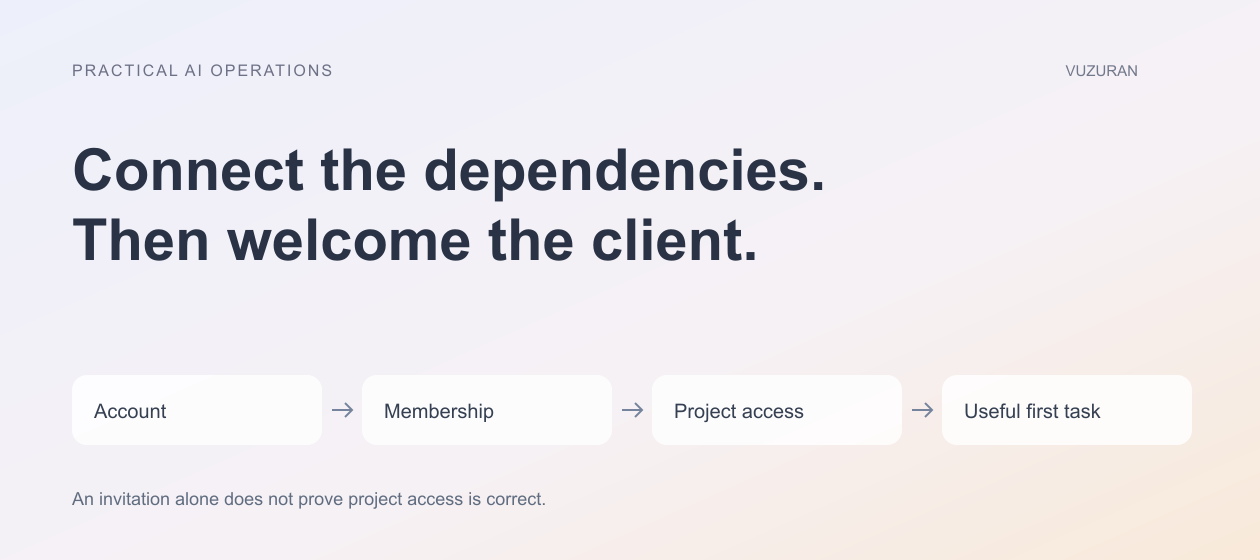
Check that the new user belongs to the intended organization and can access only the appropriate records. An invitation link should not become a route to unrelated client information.
OWASP's multi-tenant security guidance, reviewed October 27, 2026, emphasizes binding tenant context to verified identity and authorization rather than trusting a client-supplied identifier. The practical onboarding test is to use separate accounts and inspect the actual record and file access.
A successful invitation is not proof that the user's project permissions are correct.
Test direct links, downloads and changed identifiers as well as the normal dashboard. Keep administrative access separate from the client experience.
Make provisioning safe to repeat
A payment event, form submission or administrator action may arrive more than once. Decide which event starts onboarding and how the system recognizes an existing setup attempt.
Use a stable operation identity and preserve the records already created. A retry should not create another organization, duplicate project or second invitation without a deliberate reason.
If a step fails after earlier steps complete, show partial completion. The operator should be able to finish the missing work without guessing what must be recreated. Our workflow reliability guide explains how to keep uncertain and confirmed states distinct.
Use AI for preparation with visible sources
An assistant can summarize the client brief, identify missing fields or prepare a kickoff agenda. Preserve the original material so a teammate can verify the summary.
Do not let the assistant infer approval, invent a deadline or assign a service the client did not request. Keep suggested tasks separate from agreed deliverables. A useful onboarding summary should make the next conversation easier, not silently expand the commercial scope.
Where the system asks for more information, use focused questions tied to the dependency. Avoid repeatedly requesting a file that the client has already supplied through another approved channel.

Send the welcome message after checking the experience
Test the actual links using the client's intended role. Confirm that the project, setup task and support route work. A link that opens for an administrator can fail or expose too much for a new client.
Explain the next action plainly. Show what is ready, what is waiting and whom to contact. If setup is still pending, say so rather than announcing complete access.
Our email automation guide describes approval and send verification. The message should match the current onboarding state at the time it is sent.
Give the team a shared operating view
Show each client's dependencies, owner and blocked steps. Keep the distinction between waiting on the client, waiting on the team and waiting on a system. Each requires a different next action.
Record manual interventions. If someone fixes access directly, the automation should recognize the resulting state rather than undo the correction or send another invitation.
Provide a pause and recovery process for the onboarding workflow. The business still needs to receive new clients and preserve their information if one integration is unavailable.
Evaluate the first journey with a new user
Ask a person unfamiliar with the setup to complete the intended task in an authorized test account. Observe where they hesitate, which instructions are unclear and whether the support route is visible.
Measure time to the useful outcome, failed access attempts and repeated requests for information. A fast welcome email does not establish a smooth onboarding experience.
VUZURAN develops custom business tools, client portals and AI workflows. A project discussion can begin with your first client outcome and dependency map. Existing account and project tools may already cover the need if their permissions and handoffs match the process.
Frequently asked questions
What should start onboarding?
Choose an explicit, authorized business event and define how repeats are handled. Do not let several independent triggers create duplicate setups.
Does sending an invitation finish onboarding?
No. Verify membership, project access, required inputs and the client's ability to complete the first useful task.
Can AI turn a brief into project tasks?
It can propose tasks, but a responsible person should confirm the scope and commitments. Preserve the original brief and distinguish suggestions from agreed work.
What should happen after partial failure?
Show completed and missing steps separately. Reconcile the actual state and recover the remaining work without recreating successful steps blindly.
Sources & context
- OWASP: Multi-Tenant Security
Primary reference reviewed October 27, 2026. Original editorial framework and hypothetical business examples; no certification, legal-compliance or outcome guarantee.
Written by VUZURAN. Examples labeled hypothetical are illustrative; they are not customer results. VUZURAN service references describe our own business.