

A browser agent opens a portal, finds a record and fills a form. The demonstration looks like a person completing a task. What it does not show is how the system handles an expired session, a changed button or a page containing instructions that the business never authorized.
For an operations team, a browser agent is useful when it completes a defined job and leaves enough evidence to check the result. Watching a cursor move is not the same as knowing that the correct record changed.
It distinguishes browser-based interaction from a stable application integration and explains where a human decision still belongs.
Start with a task that has a visible finish
Choose a narrow workflow such as locating an authorized record and preparing an internal report. Describe the starting state, allowed websites and expected output. Identify any step that changes external data or communicates with another person.
Avoid beginning with an instruction such as “manage this account.” It gives little guidance about which actions are appropriate, what information may be used and when the task should stop.
A useful acceptance statement might say: locate the specified order, read its current fulfillment status and record the source link and time checked. Updating the order is a separate action. So is contacting the customer about it.
Decide whether the browser is the right interface
A supported API or existing connector may offer clearer field validation and more reliable error handling. A browser agent can be relevant when the required workflow is available only through the interface or when a supervised cross-site task is genuinely useful.
Anthropic's current computer-use documentation, reviewed October 27, 2026, describes screenshot and mouse/keyboard interaction. It points to a separate browser-use tool for work inside webpages. These are different implementation surfaces; neither removes the need to define the application's authority.
Evaluate the intended task rather than choosing a tool because its demonstration looks more human. If an API already provides an exact, authorized operation, using the browser may add unnecessary failure modes.
Classify the actions before granting access
List what the agent can observe, prepare and submit. The same website can contain low-impact reading tasks and consequential actions such as changing access or sending a message.
| Action category | Pilot treatment | Evidence to retain |
|---|---|---|
| Read authorized information | Limit to the relevant account and task | Source and time checked |
| Prepare a form | Keep it reviewable before submission | Proposed values and target record |
| Submit a reversible change | Apply the defined authorization rule | Confirmation and resulting state |
| Send information externally | Verify audience and content | Approved message and destination |
| Change permissions or payment details | Use a separate, explicit approval process | Decision and confirmed outcome |
The table is an evaluation framework, not a claim that every agent product enforces these categories automatically. Ask the implementer to show where the boundary exists in code and in the operating process.
The agent should know what it is allowed to do before it encounters a button that makes the action possible.
Isolate the session and credentials
Use an account with only the access required for the pilot. Avoid placing a broadly privileged personal session in an environment the agent can inspect. Keep unrelated tabs, stored documents and credentials outside its working area.
Anthropic's computer-use guidance recommends isolation, limited privileges and restrictions on accessible destinations. It also warns that webpage content can contain instructions that conflict with the user's task. The article's practical recommendation is to treat retrieved page content as information, not as a source of new authority.
For example, a note inside a support ticket should not be allowed to redirect the agent to export the entire customer list. The fact that the instruction appears inside an authenticated business application does not make it an authorized request.
Observe after each meaningful state change
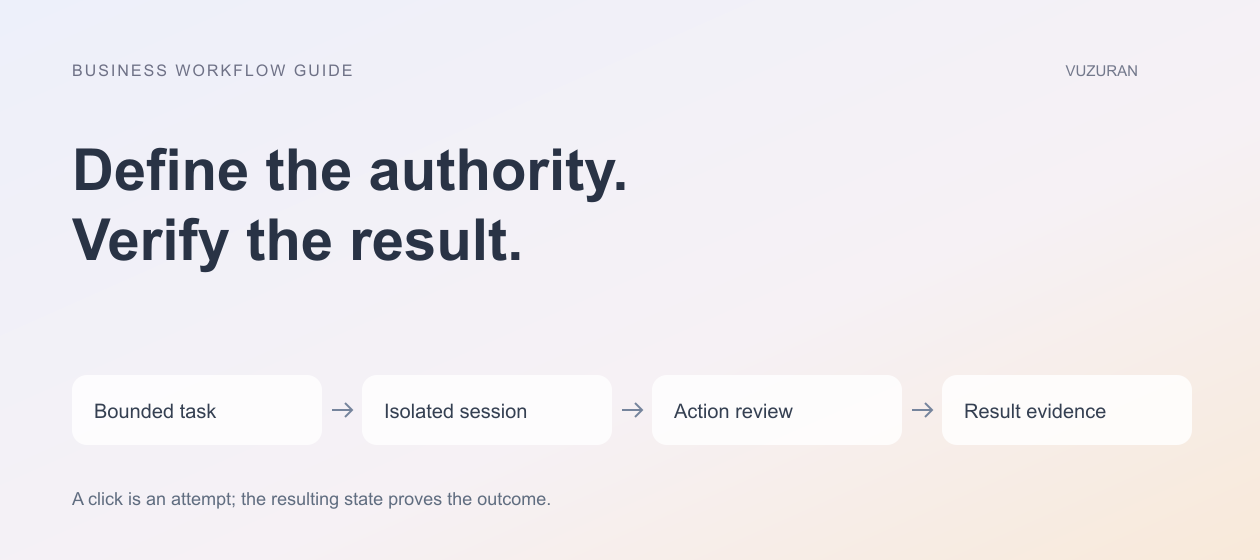
A click is an attempted action. The next screen determines what actually happened. The agent should inspect the resulting state before choosing its next step, especially when forms, dialogs or navigation can change the available controls.
Test a slow response and a failed submission. The workflow should not repeatedly click the same button without checking whether the first attempt succeeded. A duplicate submission can be more costly than a visible pause.
Define the evidence for completion in advance. A confirmation message may be enough for a simple task; another requires opening the updated record and verifying the field. Keep the check proportional to the action's consequences.
Editorial principle: verify the state the business needs, not the gesture the agent attempted.
Include ordinary interruptions in the test set
Real portals show session-expiry dialogs, changed layouts, empty results and validation messages. Test these conditions in an authorized environment. The agent should stop or request appropriate intervention when it cannot establish the next safe action.
Also test a wrong but plausible record. Two customers can share a name, and two orders can have similar descriptions. Require a stable identifier or an explicit disambiguation step before changing anything.
A workflow that succeeds only when the exact demonstration page is unchanged has not yet earned routine operational use. Record the failures and identify whether they come from ambiguous instructions, unstable page controls or missing recovery behavior.
Plan the human handoff
When the agent stops, show the last verified state, the proposed next action and the reason it could not continue. Do not leave a colleague guessing whether the form was submitted.
Assign an owner for the run and a way to pause future runs. Keep a record of actions without collecting unnecessary sensitive page content. The log should help investigate an issue while respecting the information the workflow handles.
VUZURAN builds custom AI tools and connected operations. A project discussion can compare a browser agent with an API integration for the actual task. Our workflow project brief provides a starting structure for defining the finish line and exceptions.
Frequently asked questions
Can a browser agent use any website reliably?
No universal reliability claim is justified. Interfaces, authentication flows and permitted actions vary. Test the exact authorized workflow and its failure cases.
Should the agent use my normal administrator account?
Prefer an isolated session with the minimum required access. Broad personal access can expose unrelated information and increase the consequences of an error.
What is prompt injection in this context?
It is an attempt to make untrusted content influence the agent's instructions or actions. A webpage or document should not be able to grant the agent new authority.
How do we know a task finished?
Define the required resulting state and verify it. A click, a filled field or an attempted request alone does not prove completion.
Sources & context
- Anthropic: Computer use tool
Primary documentation reviewed October 27, 2026. Frameworks and business examples are original editorial analysis.
- Anthropic: Browser use tool
Primary documentation reviewed October 27, 2026. Frameworks and business examples are original editorial analysis.
Written by VUZURAN. Examples labeled hypothetical are illustrative; they are not customer results. VUZURAN service references describe our own business.