

A team finds a workflow tool it can run on its own server. The subscription looks smaller, the deployment guide looks short, and the decision appears straightforward. Then someone asks who will restore the service if it stops during a customer launch.
That question belongs in the buying decision. Self-hosted and managed AI automation distribute operating work differently. Compare them using the workflow you need to run, the people who will maintain it, and the consequences of an interruption.
This guide uses n8n documentation as a concrete reference. It does not rank every automation platform or assume that one hosting arrangement suits every business.
Understand what you are choosing
Self-hosting places an application on infrastructure your organization or a contracted operator manages. A managed service assigns some of that infrastructure work to a provider. The exact division depends on the product and contract.
The n8n hosting guide documents self-hosted deployments and distinguishes Community, Business, and Enterprise editions. Those options do not imply that every feature, deployment, or commercial use has identical terms. Review the edition requirements for the capabilities your workflow needs.
Write down the required capabilities before comparing prices. User administration, execution history, access controls, and support expectations can change which option is appropriate. A low-cost environment that omits a necessary control is not an equivalent alternative.
Assign the operating responsibilities
For either arrangement, identify who owns application configuration, credentials, workflow changes, incident response, and recovery. Some responsibilities remain yours even when a provider operates the infrastructure.
The following worksheet is original evaluation guidance. Confirm each answer with the actual provider or operator rather than assuming it from the hosting label.
| Responsibility | Question for self-hosting | Question for a managed service |
|---|---|---|
| Updates | Who tests and applies them? | What changes automatically, and how is notice given? |
| Recovery | Who restores the application and its data? | What recovery commitments and export options exist? |
| Access | Who administers accounts and secrets? | Which controls are available in our edition? |
| Monitoring | Who notices stalled or failed work? | Which alerts still require our own workflow monitoring? |
| Exit | How do we move the workflow and its records? | What can we export, and in which format? |
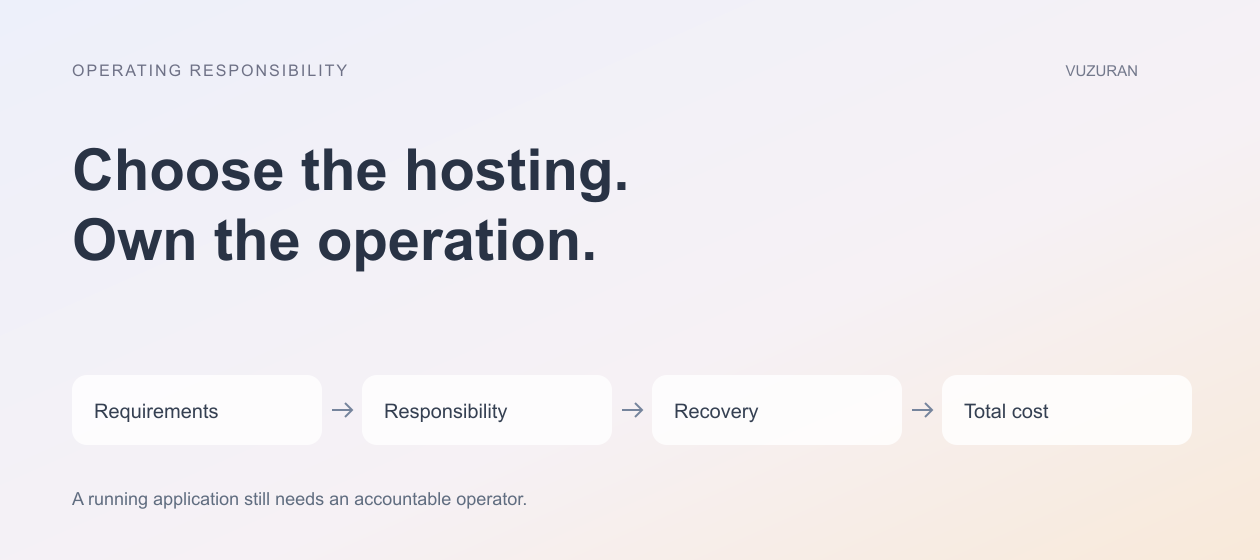
Choosing where software runs does not remove the need for an accountable operator. A small business can outsource that work, but it should still know who is responsible.
Count the cost of maintaining the service
A server bill is one line in the budget. Add setup, updates, monitoring, backups, security administration, and incident handling. Include the time needed to maintain integrations and review workflow behavior.
The n8n operations documentation covers logging, monitoring, backup and restoration, and updates. These are useful categories for a responsibility checklist. They should not be treated as tasks that happen automatically because the application starts successfully.
For a managed service, inspect what the subscription includes. Provider uptime does not prove that your particular workflow completed. A connected CRM can change a field or reject a credential while the automation platform remains healthy.
Test recovery before depending on it
Backups are useful when they can restore the information and configuration your workflow needs. Agree what must be recoverable, how recent it must be, and who can perform the restore.
Use a non-production environment to rehearse a representative recovery. Check that the workflow can reconnect to its permitted systems and that unfinished operations remain understandable. Be careful with test restores that could resend customer messages or repeat external actions.
A hypothetical service business might require its inquiry queue to survive a restart without sending duplicate replies. That requirement belongs in acceptance testing. It is more specific than asking whether the hosting provider has backups.
Review data flow, not just server location
Self-hosting an automation platform does not necessarily keep every input on that server. A workflow may send information to model providers, email services, or third-party APIs. A managed platform may offer configuration choices that also affect those paths.
Map the information sent to each connected service and the purpose of that transfer. Identify which records contain customer information and which credentials authorize access. Check retention, access, and export arrangements for the actual services involved.
For a US business, requirements can depend on the information and industry. Make those requirements explicit and obtain appropriate professional guidance where needed. A country label on a hosting plan is not a complete data-handling assessment.
Read the software's actual license
Public source code does not automatically mean unrestricted commercial redistribution or hosting rights. The n8n repository license describes a Sustainable Use License and separate treatment for specified enterprise code. Review those terms for your proposed use instead of describing the whole product as permissively open source.
This article is not a license interpretation for a particular business model. If you plan to embed, resell, or expose a workflow platform as part of your product, confirm the applicable arrangement with the vendor and appropriate advisers.
Choose a pilot that exposes the tradeoff
Run a representative workflow with realistic permissions and failure cases. Measure setup effort, operator time, recovery steps, and what the team can observe. Avoid comparing a carefully maintained managed service with an unmaintained test container and calling the result a hosting benchmark.
For the operating decision:
Choose the arrangement whose responsibilities your team can actually fulfill, then verify the parts the provider promises to handle.
VUZURAN can help assess the integration and operating requirements of a custom workflow. Bring your source systems, expected usage, and recovery needs to a discovery conversation. The answer may be an existing managed tool, a maintained self-hosted installation, or a custom application around a narrower process.
Frequently asked questions
Is self-hosted automation free?
Some software editions may be available without a license fee for permitted uses. Infrastructure, maintenance, support, and connected model or API usage can still cost money.
Does a managed service eliminate maintenance?
It can transfer some responsibilities to the provider. You still need to manage your workflow logic, access, connected systems, and the business consequences of failures.
Does self-hosting keep all data private?
It does not establish that by itself. Inspect every external service called by the workflow and the controls around stored data, logs, and credentials.
What should decide the choice?
Required capabilities, licensing, operating capacity, recovery expectations, and total cost. Test the most important assumptions before relying on the system.
Sources & context
- n8n: Host n8n
Primary reference. Reviewed for this article; linked for context, not a claim of endorsement.
- n8n: Keep an instance running
Primary reference. Reviewed for this article; linked for context, not a claim of endorsement.
- n8n: Repository license
Primary reference. Reviewed for this article; linked for context, not a claim of endorsement.
Written by VUZURAN. Examples labeled hypothetical are illustrative; they are not customer results. VUZURAN service references describe our own business.